About
About AIPhoto-Generator
AIPhoto-Generator is an independent text-to-image website launched in October 2026. It sends your prompt to the nano-banana-lite image model through Moda's API and returns a new image, usually in about 5 seconds. It is free to try, with its limits stated up front: 3 free images with no account, and no prompts kept on our servers.
Last updated
At a glance
- Launched
- October 2026
- Image model
- nano-banana-lite, via Moda's API
- Free use
- 3 free images per visitor, no account; then paid images
- Typical time
- About 5 seconds per image
- Output
- One PNG per prompt on the free plan, about 1 megapixel
- Options
- 6 styles, 6 aspect ratios
- Input
- Text only
Who runs AIPhoto-Generator?
AIPhoto-Generator is an independent website, launched in October 2026. It is not owned by, run by or part of Moda or Google: Moda provides the image model through its API, and we pay for that service as a customer. There are no paid placements or affiliate links on the site.
To reach the people behind AIPhoto-Generator with a question, a correction or a privacy request, use the contact page.
Why we built it
We built AIPhoto-Generator to be an AI photo generator you can try free and use straight away: open the page, describe an image and download the result, with no account, no email and nothing to install. We also wanted its limits stated plainly, so you know how many images you get, how large they are and what the tool can't do before you start.
How the generator works
AIPhoto-Generator turns your words into a prompt for the nano-banana-lite image model, sends it to Moda and shows you the new image Moda returns. Step by step:
- You write a prompt and choose one of 6 styles and one of 6 aspect ratios. Photorealistic is the default style.
- The style adds a short, fixed phrase to the end of your prompt. Photorealistic, for example, adds “photorealistic photograph, natural lighting, sharp focus, high detail”. No style sends your prompt exactly as written, and no style costs anything extra. See the exact words each style adds.
- Our server sends the finished prompt to Moda, which runs the nano-banana-lite image model. Moda lists it as “NanoBanana 2 Lite”, with “gemini” as its provider.
- Moda returns the new PNG image (one per prompt on the free plan; paid plans allow up to 4), usually in about 5 seconds; it can take longer when many people are generating. The image is hosted by Moda at an unlisted link and shown to you in the generator, ready to download.
- Your history, meaning your recent prompts and image links, is saved only in your own browser. The Clear button in the generator deletes it.
What is stored, and where
AIPhoto-Generator's server doesn't keep your prompt after the request finishes, and it never stores your raw IP address. Your history stays in your browser, and the images stay with Moda.
What our server keeps without an account
- A salted one-way hash of your IP address, with the number of images requested and the date, to enforce the free-image limit. These records are deleted automatically after about two months.
- A one-way fingerprint of each request, kept for about two months so a retried request isn't counted twice.
What it doesn't keep
- Your prompt, once the request has finished. Moda processes prompts under its own privacy policy.
- Your raw IP address.
- A copy of your images. Moda hosts them at unlisted links that may expire, so download the ones you want to keep.
- Your history. Recent prompts and image links stay in your browser.
We use Google Analytics 4 to see, in aggregate, how the site is used. Google Analytics sets cookies and processes your IP address; we never send it the query string of the page address, so it never sees your prompts. The full details are in the Privacy Policy.
What it can't do
AIPhoto-Generator can't edit or upload photos, makes images of about 1 megapixel, can't be relied on for text inside images and has no seed or inpainting. The first 3 images are free; after that, images are paid.
- No photo upload or editing. AIPhoto-Generator is text to image only. You can't upload a photo, and there is no editing, retouching, inpainting, upscaling or reference image.
- About 1 megapixel. On the free plan, each prompt gives one PNG of about 1 megapixel: 1024 × 1024 px at 1:1 and 928 × 1152 px at 4:5. Paid plans allow up to 4 images per prompt. That size works on screens and social posts but is too small for large prints.
- Text in images is unreliable. Moda's own description of this model points to its higher tiers for “heavy in-image text”. If lettering has to be right, add it afterwards in a design tool.
- No seed and no inpainting. The same prompt gives a different image every time, and there is no seed to get one back. There is no way to fix one part of an image either: change the prompt and generate again.
- Invented logos on products. In our testing, nano-banana-lite tends to draw trademark-like logos on products, which is why the Studio style asks for “unbranded” products. That is not always enough, as two of our own examples showed. Check product images for invented names or marks before you use them.
- 3 free images per visitor. Each visitor gets 3 free images, with no account and no email. The free images don't reset: after that, generating uses paid images from an image pack or the Pro plan. At busy times, free capacity for the whole site can also run out. Need more images? See pricing.
How the example images were made
The 12 images in our example gallery, and the second results for 3 of them, were generated with the production model, nano-banana-lite, from exactly the prompt and style shown next to each one. Most were generated on ; the skincare and perfume images were generated again on , for the reason below.
The 26 images in our guides to social media, stock photos and food were made the same way on , from exactly the prompt, style and aspect ratio shown beside each one. Where a first render added something the prompt didn't ask for, such as text-like signs behind the ramen or an open book and a second pair of glasses on the breakfast table, the guide says what we changed in the prompt.
The examples went through the same prompt-building code as the generator, so each style phrase was added exactly as it would be for you, at the aspect ratio shown. We reviewed the results for obvious defects before publishing them. The example images were resized for the web to 640 and 1280 pixels wide, cropped to the exact aspect ratio where needed and converted to WebP, without retouching; for every aspect ratio except 16:9 the 1280-pixel copy is larger than the image the generator returns. The ramen image also had a thin black border, which the model drew around the frame, trimmed from its edges before resizing.
Our first renders of the skincare and perfume prompts, made with the Studio style and its “unbranded”, printed invented brand-like names on the bottles, some of them close to real beauty brands. We wrote “blank, unlabeled” into both prompts and generated them again: the new bottles carry no names, and the perfume bottle came back with a blank label panel. Those are the images we publish now.
For 3 of the prompts, the site also shows a second real result from the same prompt, to show that every generation is new: the same words give a different image each time.
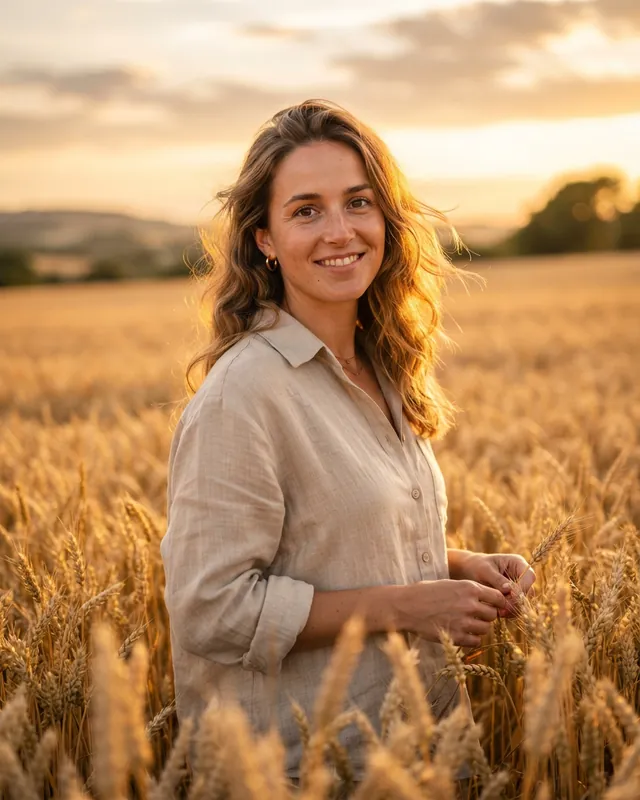
Golden hour portraitPhotorealistic · 4:5 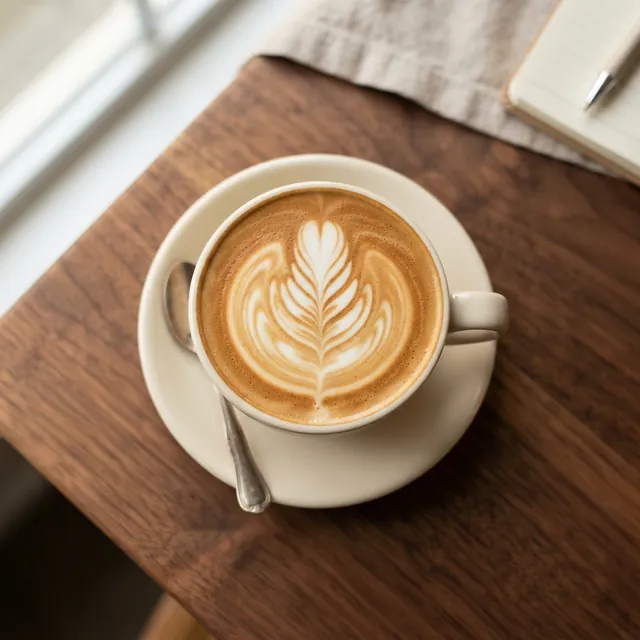
Latte art from abovePhotorealistic · 1:1 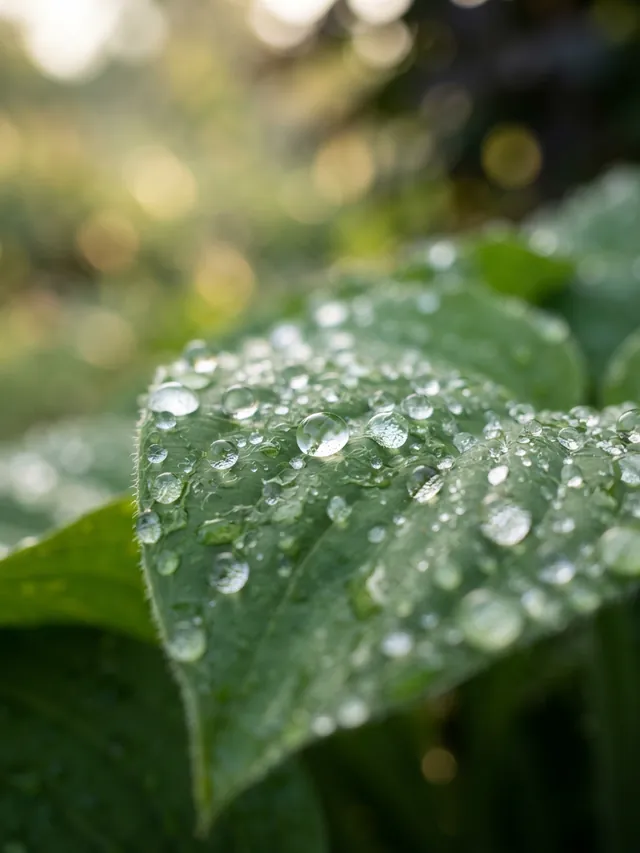
Dew on a leafPhotorealistic · 3:4
See every example prompt next to the image it produced. Each one has an “Open in generator” link that fills in the prompt, style and ratio for you; nothing is generated until you press Generate.
How we write and update our guides
AIPhoto-Generator's guides are drafted with help from AI writing tools, then checked against the product's code and real generations before they are published.
- One source for product facts. Limits, image sizes, styles and aspect ratios come from a single file in the site's code, so every page says the same thing. Those facts were last checked against the code and the live API on .
- Real results only. Every example image in our guides is a real result from the same model and prompt-building code as the generator, shown with or linked to its exact prompt. When we write “we found”, it describes something we saw in real generations, such as the model drawing a softbox into the frame when a prompt asked for “softbox lighting”.
- Dates that mean something. The “Last updated” date at the top of a page changes only when that page's content changes.
- Corrections. If you spot a mistake, tell us through the contact page and we will check it and correct the page.
Content rules
Our Terms don't allow sexually explicit content, anything that sexualizes minors, misleading, sexual, defamatory or harmful depictions of real, identifiable people, or images that infringe trademarks or copyrighted characters. The full rules are in the Terms of Service.
- Nothing sexually explicit, and nothing that sexualizes minors in any way.
- No misleading, sexual, defamatory or harmful depictions of real, identifiable people.
- Nothing that promotes violence, terrorism, self-harm or hatred against protected groups.
- Nothing that infringes trademarks, copyrighted characters or other people's intellectual property or privacy.
- Nothing meant to deceive, such as fake documents, impersonation or election misinformation.
- No automated requests and no attempts to get around the free-image limit.
We may block requests that break these rules. We don't claim ownership of the images you generate, and commercial use is subject to our Terms and to the model provider's terms. Prompts go to a third-party provider, so please leave names, contact details and other personal information out of them.
Contact
The quickest way to reach the people behind AIPhoto-Generator is the contact page. Use it for questions, bug reports, privacy requests or to point out a mistake in one of our guides.
Keep reading
- AI photo promptsEvery prompt shown next to the real image it produced, with its style and aspect ratio.
- AI photo styles comparedThe exact words each of the six styles adds to your prompt, with a real example of each.
- How to make AI photos look realWhy AI photos look fake, and nine prompt fixes shown with real results.