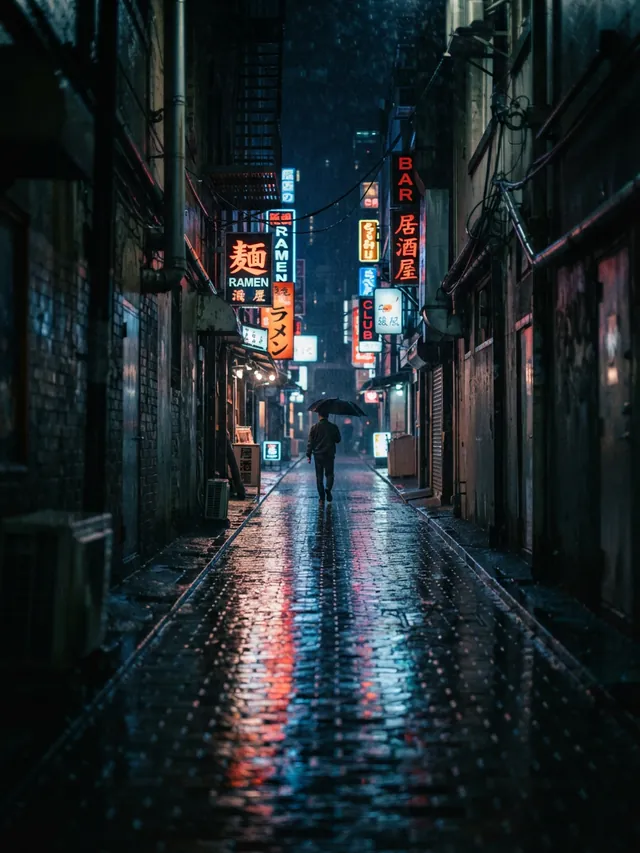
Blog featured image generator: Featured images for posts and link previews
Describe the picture for your post, and AIPhoto-Generator makes a new 16:9 image in about 5 seconds: one file for the top of the post, the post list and the link preview when someone shares it.
It makes the picture only, from a text prompt. It doesn't add titles or logos, use templates, write og:image tags, work as a WordPress plugin or make an image from your post's URL.
- 3 free images
- No sign-up
- PNG download
Last updated
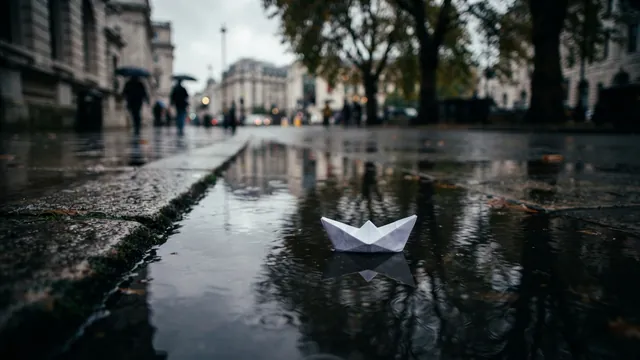

Real results from AIPhoto-Generator; images made at 3:2 are cropped to 16:9 here. The main image's prompt: “A small white paper boat floating on a rain puddle on a city sidewalk, reflections of trees in the water, overcast light”
Shapes
Which shape to pick for a featured image
No single shape fits every place a featured image appears. 16:9 is the safest start: wide enough for link previews and Google Discover.
16:9
Featured image and link preview
Wider than the 1200 px that Facebook, LinkedIn and Google Discover ask for. Link previews trim a thin strip from the top and bottom.
Output: 1376 × 768 px · source: Google Search Central: Discover
Try it at 16:93:2
In-article photo or a 3:2 theme
1264 px wide, so it still clears 1200 px, but wide link previews crop more of it.
Output: 1264 × 848 px
Try it at 3:21:1
Square thumbnails
Fine for square post-list thumbnails, but 1024 px is narrower than the 1200 px LinkedIn and Discover ask for.
Output: 1024 × 1024 px · source: LinkedIn Help: make your website shareable
Try it at 1:1
Prompt ideas
Featured image prompts that survive every crop
Each prompt keeps one subject in the middle and quiet edges, so nothing important is lost when a theme or link preview crops it.
Tech or SaaS announcement
A single glowing glass cube on a dark navy surface, soft blue rim light, centered, smooth dark background, no screens, no text or logos
- Style
- Studio
- Ratio
- 16:9
Abstract enough for any product post, with no fake interface to explain.
Recipe post
A cast-iron skillet of roasted vegetables with rosemary on a rustic wooden table, overhead view, centered, a linen napkin at the edge, soft daylight
- Style
- Photorealistic
- Ratio
- 16:9
Overhead and centered: it survives a square crop in the post list.
Travel guide
A narrow cobbled street in an old Mediterranean town at golden hour, flower pots on the steps, a centered vanishing point, no people, no signs or text
- Style
- Photorealistic
- Ratio
- 16:9
A centered street leads the eye to the middle of every crop.
Personal finance
A small green plant growing from a neat stack of plain coins on a white desk, centered, soft daylight, clean pale background
- Style
- Studio
- Ratio
- 16:9
A simple metaphor that reads at thumbnail size.
Wellness
A yoga mat rolled out on a wooden floor beside a large window with morning light, a small plant, calm and airy, centered, no people
- Style
- Photorealistic
- Ratio
- 16:9
No people, so the image stays believable and easy to reuse.
How-to or tutorial
A neat flat lay of hand tools, a tape measure and wood offcuts on a plywood workbench, overhead view, centered, soft even light, no brand names
- Style
- Photorealistic
- Ratio
- 16:9
“No brand names” keeps logos off the tools.
Opinion or essay
A single paper boat on a calm dark lake at dusk, centered, soft mist, minimal and quiet
- Style
- Cinematic
- Ratio
- 16:9
A metaphor works when a literal photo doesn't.
Seasonal post
Autumn leaves scattered on a rustic wooden table around a mug of warm cider, overhead view, centered, warm soft light
- Style
- Editorial
- Ratio
- 16:9
Swap the season words for a matching image all year.
Examples
Real results for blog posts
Real images from AIPhoto-Generator, each with the exact prompt, style and shape that made it.
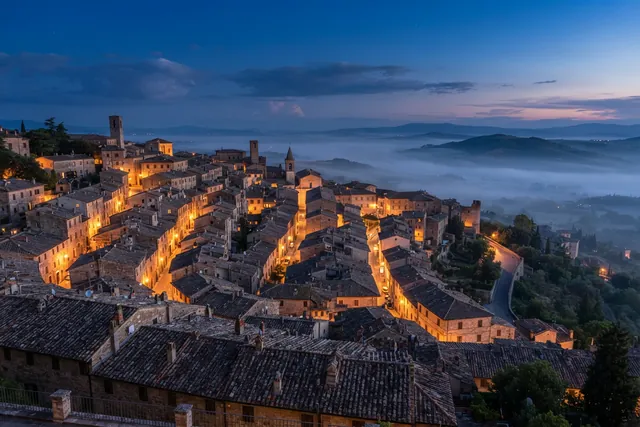
Detail spread across the frame, so any crop keeps the mood.
Prompt: Terracotta rooftops of an old hillside town at blue hour, warm lights in a few windows, soft mist in the valley beyond
Real result · Photorealistic · made at 3:2 · about this image: Hillside rooftops at blue hour
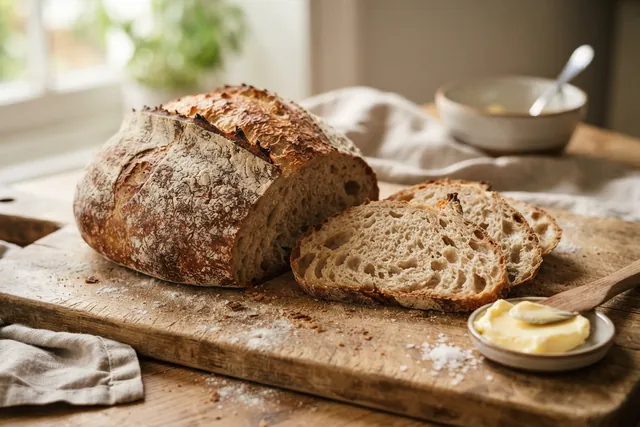
A food image at 3:2: 1264 px wide, still above the 1200 px link previews ask for.
Prompt: Rustic sourdough loaf with a crackled crust, two slices cut on a wooden board with a dish of butter, light dusting of flour, warm side light
Real result · Photorealistic · made at 3:2 · about this image: Sourdough loaf
Illustration style for a fiction, gaming or explainer blog.
Prompt: Concept art of a floating island with waterfalls spilling into a sea of clouds, soft afternoon light
Real result · Illustration · made at 16:9 · about this image: Floating island concept
A wide 16:9 scene with open sky: room for a title if you add one.
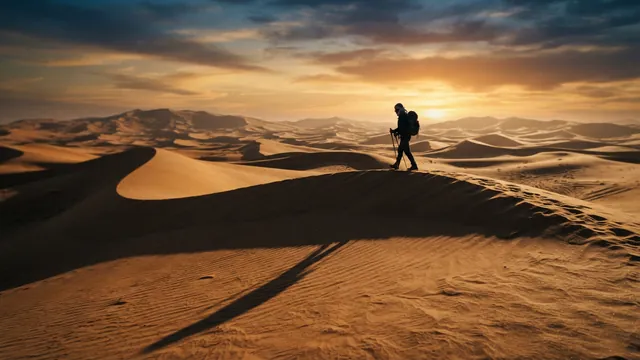
Prompt: Sweeping sand dunes at sunset with long shadows and a lone traveler walking along the ridge
Real result · Cinematic · made at 16:9 · about this image: Dunes at sunset
One small, centered subject that survives a square crop.
Prompt: A small white paper boat floating on a rain puddle on a city sidewalk, reflections of trees in the water, overcast light
Real result · Cinematic · made at 16:9 · about this image: Paper boat in a puddle
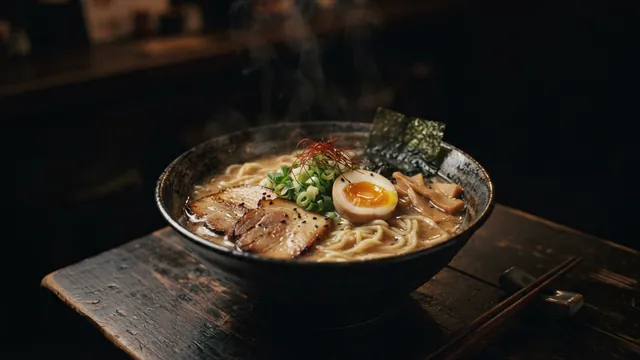
A moody 16:9 food image with a dark, quiet background.
Prompt: A bowl of ramen with a soft-boiled egg, sliced pork and scallions on a dark wooden table, plain dark background, gentle steam rising, moody low light
Real result · Cinematic · made at 16:9 · about this image: Moody ramen
Where it shows
One featured image, four places
Most blogs use the featured image in more than one place, and each one crops it a little differently.
At the top of the post
Your theme decides the size and shape. In WordPress, the theme sets the featured image size, so check yours.
In post lists and archives
Often a smaller crop, sometimes square. A subject in the middle survives it.
As the link preview
When someone shares the post, Facebook, LinkedIn and others show a wide card from your og:image. SEO plugins often use the featured image when you don't set a separate social image.
In Google Discover
Large Discover images need to be at least 1200 px wide, with the max-image-preview:large setting on your site. Google says to avoid generic images, such as your site logo, and text-heavy images.
Sources: WordPress Developer Resources: featured images · Google Search Central: Discover
Sizes
Featured image and link preview sizes
Checked on 11 October 2026 against each platform's own documentation. Our 16:9 image is 1376 × 768 px.
| Where | What the platform asks for | From our 16:9 image |
|---|---|---|
| Facebook link share | At least 1200 × 630 for high-resolution screens, about 1.91:1, up to 8 MB | Crop to 1376 × 720 (24 px off the top and bottom), or let Facebook trim it |
| LinkedIn link share | At least 1200 × 627, 1.91:1, up to 5 MB; images under 401 px wide show as a small thumbnail | The 1376 × 720 crop passes |
| X large link card | 2:1, as JPG, PNG, WEBP or GIF under 5 MB (archived developer docs; the live page has moved) | Crop to 1376 × 688 (40 px off the top and bottom) |
| Google Discover | At least 1200 px wide, with max-image-preview:large on your site; avoid generic images such as your logo, and text-heavy images | 1376 px wide: passes |
| Google Article structured data | At least 50,000 pixels (width × height); 16:9, 4:3 and 1:1 images recommended | 16:9 passes as is; crop 1024 × 768 for 4:3 and 768 × 768 for 1:1 |
| WordPress | No fixed size: your theme sets it | Upload the full image and let the theme make its own sizes |
Sources: Meta for Developers: images in link shares · LinkedIn Help: make your website shareable · X developer docs: summary card with large image (archived copy) · Google Search Central: Discover · Google Search Central: Article structured data · WordPress Developer Resources: featured images
Text
Should the featured image include the post title?
It's optional. Link previews already show your page title beside the image, and Google's Discover guidance advises against text-heavy images, so a clean picture often works well. If you want a title on it, add it in a design app: lettering inside AI images is unreliable.
Before you publish: save a JPG copy if the PNG is large (ours are usually 1.1–2.2 MB), upload it as the featured image, set a separate social image in your CMS or SEO plugin if you want a different crop, and check the link in Facebook's Sharing Debugger and LinkedIn's Post Inspector.
Write alt text that describes the picture; the AI stock photo guide has examples, and its licensing notes cover commercial use.
Sources: Google Search Central: Discover · Facebook Sharing Debugger · LinkedIn Post Inspector
How it works
How to make a blog featured image
Your first 3 images are free, and you don't need an account for them.
- 01
Describe one clear subject
Put it in the middle of the frame and keep the edges quiet.
- 02
Generate at 16:9
You get 1376 × 768 px, wide enough for link previews and Google Discover.
- 03
Add it to your post
Upload it as the featured image, write alt text, and check the link preview before you share it.
Tips
Tips for featured images
Center the subject
Link previews trim the top and bottom; square thumbnails trim the sides. The middle survives both.
Make it readable small
Post lists and previews shrink the image. One bold subject reads; a busy scene doesn't.
Keep a series consistent
Reuse the same style and light words, so posts in a category look related.
Save a smaller copy
Our PNGs are usually 1.1–2.2 MB. A JPG copy is smaller and loads faster.
Write alt text
Describe what's in the picture for readers who can't see it.
Good to know
What it doesn't do
Titles and logos
It doesn't add text or logos; add them in a design app.
From a URL or title
It can't read your post. You write the prompt.
Tags and plugins
It doesn't write og:image tags or plug into WordPress; your CMS or SEO plugin does that.
Batches
One image per prompt on the free images; paid plans allow up to 4 per prompt.
Resolution
About 1 megapixel, with no upscaling.
FAQ
Questions about the Blog featured image generator
More answers on the main FAQ and the pricing page.
What size should a blog featured image be?
It depends on your theme: WordPress, for example, lets the theme set the featured image size. For sharing, Facebook asks for at least 1200 × 630 and LinkedIn at least 1200 × 627, both about 1.91:1. A 16:9 image from AIPhoto-Generator is 1376 × 768 px, wider than both.
What size is an Open Graph (og:image) image?
Facebook recommends at least 1200 × 630 at about 1.91:1, up to 8 MB; LinkedIn asks for at least 1200 × 627, up to 5 MB. Crop our 16:9 image to 1376 × 720 for 1.91:1.
Is the featured image the same as the og:image?
Often. SEO plugins commonly use the featured image as the link preview when you don't set a separate social image. Set one if you want a different crop.
Should the featured image include the post title?
It's up to you. Previews already show the page title, and Google advises against text-heavy images for Discover. If you add a title, do it in a design app: lettering inside AI images is unreliable.
Is the image wide enough for Google Discover?
Yes. Google asks for large Discover images to be at least 1200 px wide, and ours is 1376 px. Your site also needs the max-image-preview:large setting (or AMP) for large images to show.
Will Facebook, LinkedIn or X crop a 16:9 image?
Slightly. They use shapes close to 1.91:1 and 2:1, so a thin strip may be trimmed from the top and bottom. Keep the subject centered, or crop it yourself to 1376 × 720 (1.91:1) or 1376 × 688 (2:1).
Can I use a square image?
For square thumbnails, yes. But our square is 1024 × 1024 px, narrower than the 1200 px LinkedIn and Google Discover ask for, so use 16:9 for the main featured image.
PNG or JPG?
Both work for link previews. Downloads from here are PNG, usually 1.1–2.2 MB, under Facebook's 8 MB and LinkedIn's 5 MB limits. A JPG copy is smaller and loads faster on your page.
Can it make a featured image from my post title or URL?
No. You describe the picture in a prompt; it doesn't read your post.
Can I add my logo, or set the og:image tag automatically?
No to both. Add a logo in a design app if you need one, though Google's Discover guidance says to avoid generic images, such as your site logo, and text-heavy images. Your CMS or SEO plugin sets the og:image tag.
Can I use the images on a business blog?
Generated images can be used under our Terms of Service and the AI model provider's terms; read both before commercial use. We don't claim ownership of your images, and copyright protection for AI images varies by country. The AI stock photo guide covers licensing in more detail.
Is the blog featured image generator free?
It's free to try: your first 3 images are free, with no account, and they don't reset. At busy times, free capacity for the whole site can run out. After that, generating uses paid images from an image pack or the Pro plan. Paid plans allow up to 4 images per prompt, and each image uses one paid image. See pricing.
Where can I learn more about images for blogs?
The AI stock photo generator guide covers in-article photos and backgrounds, and the aspect ratio guide lists every size. For social posts, use the social media image generator.
More ways to use the generator
- AI newsletter header generatorWide header artwork for Mailchimp, Substack, beehiiv and Kit, ready to crop.
- AI social media image generatorImages for feeds, headers, thumbnails and Stories, with a shape for every kind of post.
- AI YouTube thumbnail generator16:9 thumbnail and 9:16 Shorts backgrounds with empty space for your title.
- AI presentation background generatorSoft 16:9 slide backgrounds for PowerPoint, Google Slides, Keynote and Canva.
Guides for this
- AI stock photos for blogsOriginal header and in-article images from a prompt, with alt-text tips and licensing notes.
- AI image aspect ratiosHow to choose the right shape for an AI image, with the output size of each of the six ratios.
- AI photo promptsEvery prompt shown next to the real image it produced, with its style and aspect ratio.
Start creating
Your next image is one sentence away.
Describe it, generate it, download it. Your first 3 images are free, no account needed.