AI social media post generator: Social media images for every feed
Write what the post should show, pick the shape for where it's going, and AIPhoto-Generator makes a new image, usually in about 5 seconds. Use it for feed posts, link headers, video thumbnails and Stories.
It makes still images only: no video, scheduling, captions, logos or text, and no photo upload. Each run makes one shape, so a post for several platforms means one run per shape.
- 3 free images
- No sign-up
- PNG download
Last updated
 16:9
16:9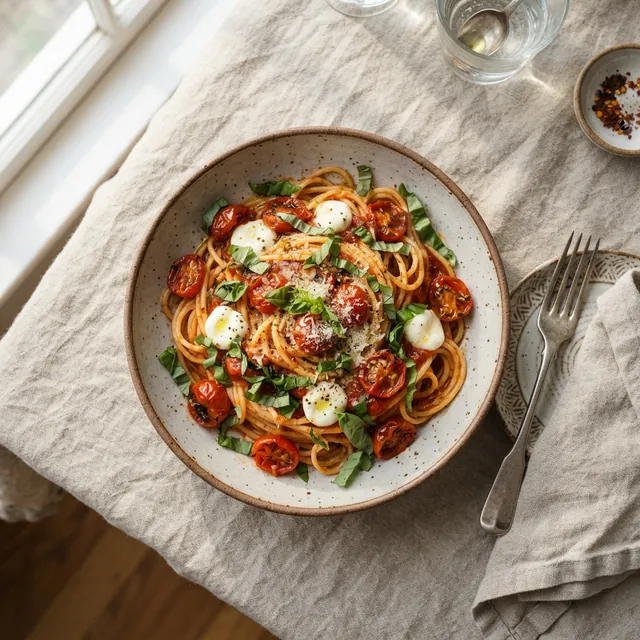 1:1
1:1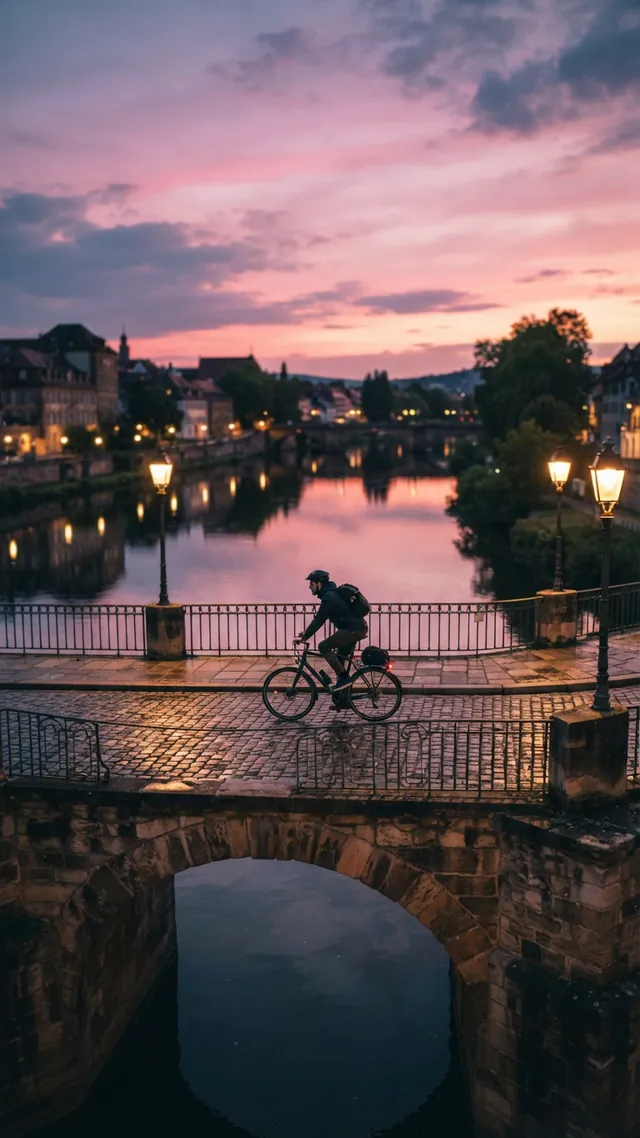 9:16
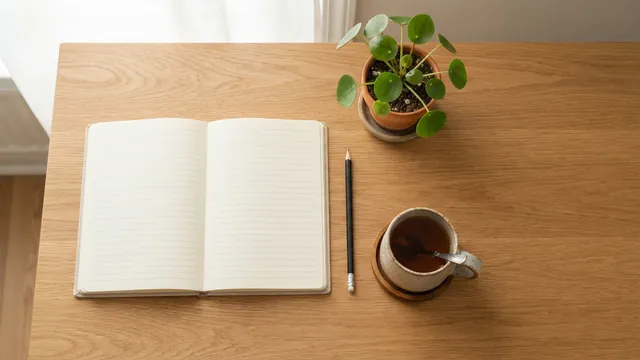
9:16Real results from AIPhoto-Generator. The main image's prompt: “Top-down view of a tidy oak desk with a blank open notebook, a pencil, a cup of tea and a small potted plant, soft daylight, empty space on the right side”
Shapes
The right shape for each kind of post
Pick the shape of the slot that matters most. Platforms change their layouts, so check the one you post to when the exact crop matters.
1:1
Square feed post
A simple, versatile shape for products and quote posts. Keep the subject near the middle in case an app crops the edges.
Output: 1024 × 1024 px
Try it at 1:14:5
Portrait feed post
More height in the feed. Instagram shows it uncropped, since it sits inside the 1.91:1 to 3:4 range.
Output: 928 × 1152 px · source: Instagram Help Center: image resolution of photos you share
Try it at 4:516:9
Header, thumbnail or slide
YouTube suggests 16:9 for custom thumbnails. Wide images also suit link previews, banners and presentation slides.
Output: 1376 × 768 px · source: YouTube Help: add custom thumbnails
Try it at 16:99:16
Story, Reel or Short
Full-screen and vertical. Interface buttons cover the edges, so keep the subject near the middle.
Output: 768 × 1376 px
Try it at 9:163:4
Tall post or pin
Taller than 4:5 but not full-screen, for tall posts and pins.
Output: 896 × 1200 px
Try it at 3:4
Prompt ideas
Social media post prompts by type of post
Each prompt opens in the generator with a style and shape set for that kind of post. Swap in your own subject and colors.
Team or hiring post
A bright modern meeting room with a wooden table, a few notebooks and a plant, soft daylight, blurred background, no people
- Style
- Editorial
- Ratio
- 1:1
A calm, professional backdrop for a company update or job post.
Event announcement
Rows of empty chairs facing a small stage under warm string lights, early evening, inviting atmosphere
- Style
- Cinematic
- Ratio
- 4:5
Add the event name and date on top in your editor.
Video thumbnail background
A cozy home studio desk with an unbranded microphone and soft purple and orange lights, the left third plain and dark
- Style
- Cinematic
- Ratio
- 16:9
The dark left third leaves room for a big title.
Blog or link header
A stack of hardcover books with plain covers next to a reading lamp, warm evening light, wide calm composition
- Style
- Photorealistic
- Ratio
- 16:9
Wide and simple, so it still reads in a small link preview.
Recipe pin
Overhead view of a bowl of tomato soup with fresh basil and a slice of toast on a dark wooden table, soft daylight
- Style
- Photorealistic
- Ratio
- 3:4
A tall food shot with the dish as the clear focus.
Holiday greeting
Snow-covered pine branches with warm golden lights blurred behind them, calm and festive, empty space in the middle
- Style
- Photorealistic
- Ratio
- 1:1
Leave the greeting itself for your editor.
Story or Short background
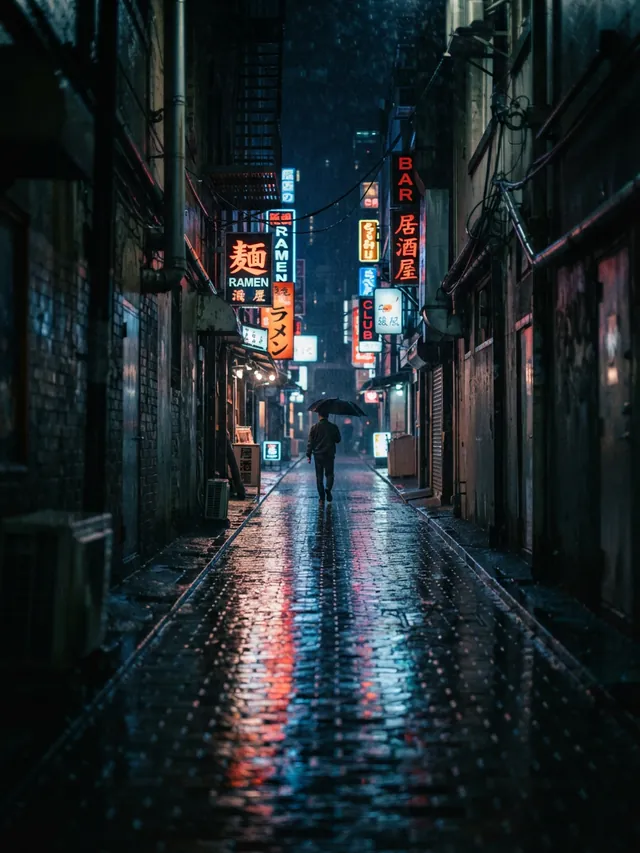
A rain-soaked city street at night with neon reflections on the pavement, vertical composition, no people
- Style
- Cinematic
- Ratio
- 9:16
Moody and vertical, with the brightest part near the middle.
Community post
A sunny community garden with raised vegetable beds and watering cans, cheerful and welcoming, no people
- Style
- Photorealistic
- Ratio
- 4:5
Friendly and specific, for a local group or small business page.
Examples
Real results in every shape
Real images from AIPhoto-Generator in the shapes social posts use most, each with the exact prompt, style and ratio.
A 16:9 header with empty space on the right for a title.
Prompt: Top-down view of a tidy oak desk with a blank open notebook, a pencil, a cup of tea and a small potted plant, soft daylight, empty space on the right side
Real result · Photorealistic · made at 16:9 · about this image: Desk flat lay header
A square overhead shot for a feed post.
Prompt: Overhead photo of a bowl of spaghetti with cherry tomatoes and fresh basil on a linen tablecloth, a fork beside the bowl, soft daylight
Real result · Photorealistic · made at 1:1 · about this image: Spaghetti from above
A 9:16 Story with the subject kept clear of the edges.
Prompt: A cyclist crossing an old stone bridge at dusk, warm street lamps glowing, pink and violet sky reflected in the river below
Real result · Cinematic · made at 9:16 · about this image: Bridge at dusk
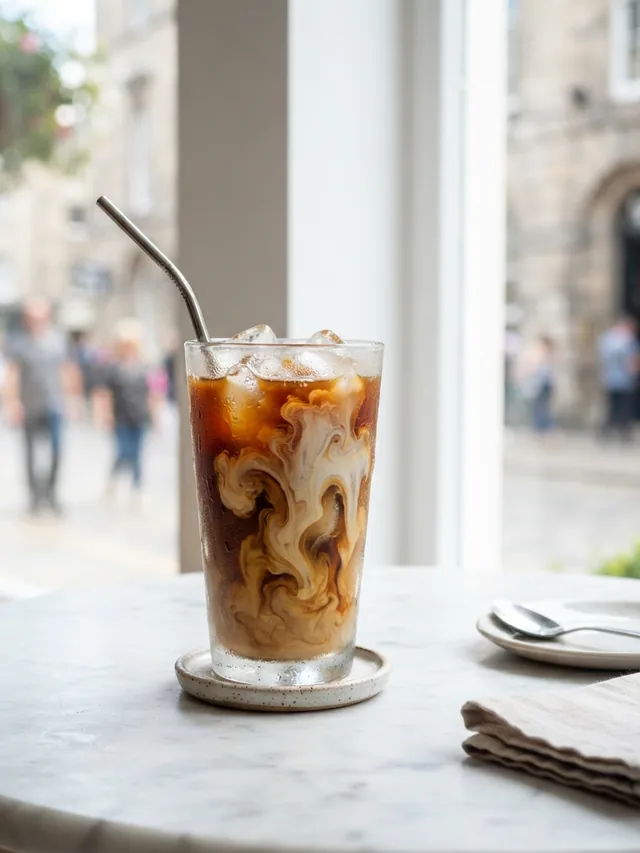
A tall 3:4 image for pins and portrait posts.
Prompt: Side-on photo of an iced coffee in a tall glass with condensation and swirls of milk, on a marble café table, bright window light
Real result · Photorealistic · made at 3:4 · about this image: Iced coffee
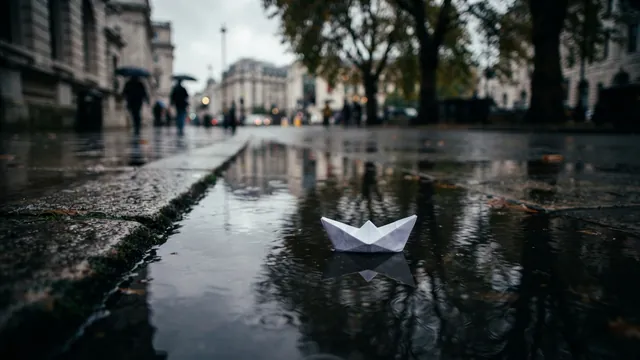
A 16:9 street scene with one bright subject: a white paper boat in a rain puddle.
Prompt: A small white paper boat floating on a rain puddle on a city sidewalk, reflections of trees in the water, overcast light
Real result · Cinematic · made at 16:9 · about this image: Paper boat in a puddle
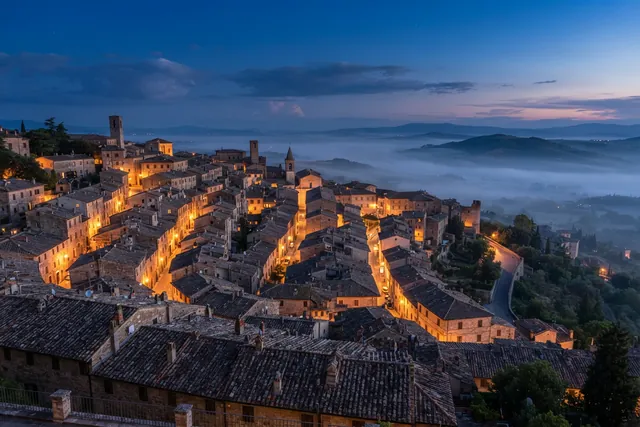
A 3:2 landscape for in-article images and link posts.
Prompt: Terracotta rooftops of an old hillside town at blue hour, warm lights in a few windows, soft mist in the valley beyond
Real result · Photorealistic · made at 3:2 · about this image: Hillside rooftops at blue hour
How it works
How to make a social media post image
Your first 3 images are free, and you don't need an account for them.
- 01
Choose the shape
Square or 4:5 for feeds, 16:9 for headers and thumbnails, 9:16 for Stories and Shorts.
- 02
Describe the image
Subject, setting, light and mood. Say where you'll add text so the image leaves room for it.
- 03
Generate each shape you need
Run the prompt again at each shape you need: every run is a new image. Download each one as a PNG.
Tips
Tips for social media images
One idea, several shapes
Each shape is a separate run and a different image. Keep the prompt the same to keep them close, or crop one image when they must match. On a paid plan you can make up to 4 versions of a prompt at once to pick from; each uses one paid image.
Design for small screens
Feeds and thumbnails show images small. Keep the subject large and the background simple.
Plan where the text goes
Ask for a plain area (“dark left third”, “empty sky”) where your headline will sit.
Keep a recognizable look
Repeat the same colors, light and style across posts so your feed feels like one brand.
Know the size
Images are about 1 megapixel, for example 1376 × 768 px at 16:9. That clears YouTube's 640-pixel minimum for thumbnails but is well below its recommended 3840 × 2160.
Good to know
What it doesn't do
Scheduling and posting
It doesn't connect to any social network. Download and post yourself.
Captions, hashtags and text
It makes images only. Add words in your editor or where you post.
Logos and brand kits
There's no upload, so it can't add your logo or fonts.
Automatic resizing
Each run makes one shape. It doesn't resize one image into every format.
Video
It makes still images only: no Reels, Shorts, Story videos or animation.
FAQ
Questions about the AI social media post generator
More answers on the main FAQ and the pricing page.
Which aspect ratio should I use for each platform?
Square (1:1) or portrait (4:5) for feed posts, 16:9 for video thumbnails, link headers and banners, 9:16 for Stories, Reels and Shorts, and 3:4 for tall pins. The aspect ratio guide shows the pixel size of each shape. For Instagram-only shapes and prompts, see the AI Instagram post generator.
Can it make one image in every size at once?
No. Each run makes one shape, and running the same prompt at another shape gives a new image rather than a resized copy. Generate the shape you need most, then either run the prompt at the other shapes or crop that image in an editor.
Can it write captions or hashtags?
No. AIPhoto-Generator makes images only. Write the caption where you post.
Can I add my logo or brand fonts?
Not inside AIPhoto-Generator: there's no upload, and lettering inside AI images is unreliable. Leave empty space in the image and add your logo and text in a design app.
Are the images big enough for video thumbnails?
They work, with a caveat. YouTube suggests 16:9 thumbnails with a minimum width of 640 pixels and recommends 3840 × 2160. A 16:9 image from AIPhoto-Generator is 1376 × 768 px: above the minimum, well below the recommendation.
How many social media images can I make for free?
It's free to try: your first 3 images are free, with no account, and they don't reset. At busy times, free capacity for the whole site can run out. After that, generating uses paid images from an image pack or the Pro plan. Paid plans allow up to 4 images per prompt, and each image uses one paid image. See pricing.
More ways to use the generator
- AI Instagram post generatorFeed post, square and Story images from a prompt, with ready-to-run Instagram prompts.
- AI PFP generatorAvatars, characters and aesthetic profile pictures made from a description, not from your photo.
- AI carousel post makerMatching images for every slide of a carousel, from prompts that share the same look.
- AI gift card generatorArtwork for printed and emailed gift cards, ready for your text, name and amount.
Guides for this
- AI images for social mediaWhich aspect ratio to pick for posts, Stories and carousels, with real examples and notes on size and text.
- AI stock photos for blogsOriginal header and in-article images from a prompt, with alt-text tips and licensing notes.
- AI image aspect ratiosHow to choose the right shape for an AI image, with the output size of each of the six ratios.
Start creating
Your next image is one sentence away.
Describe it, generate it, download it. Your first 3 images are free, no account needed.