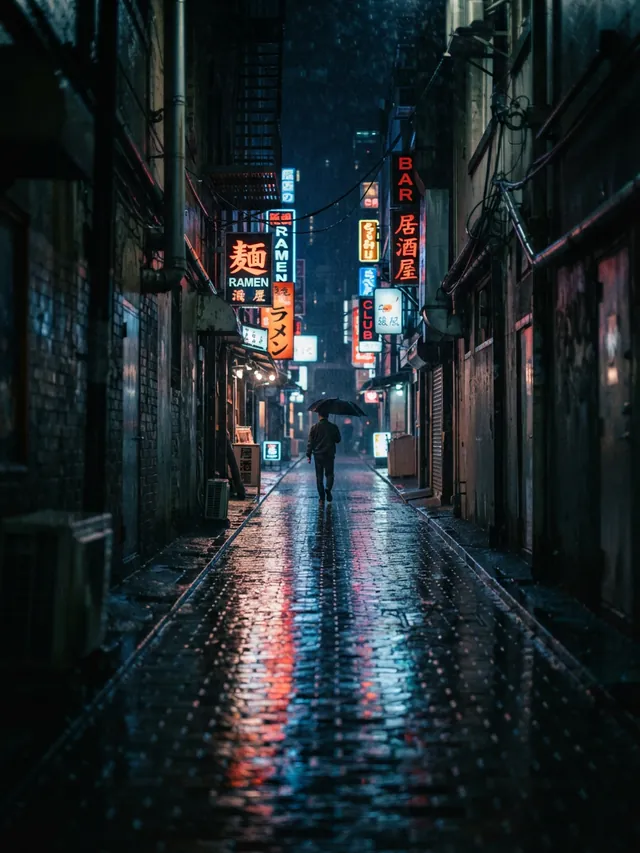
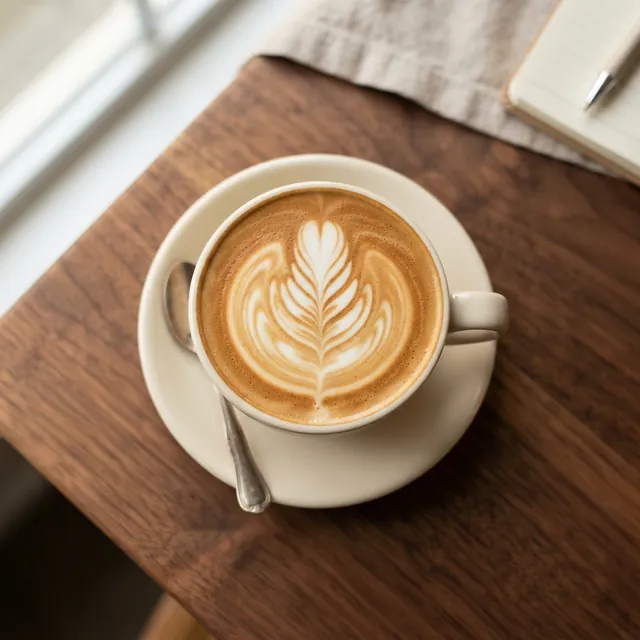
AI YouTube thumbnail generator: YouTube thumbnail backgrounds with room for your title
Describe the scene, say which side should stay empty, and pick 16:9 for a video or 9:16 for a Short. AIPhoto-Generator makes a new image in about 5 seconds. Add the title in any design app, then upload it in YouTube Studio.
It makes the picture only. It doesn't add text, use templates or your photos, or run A/B tests, and it can't show you or any other real person. Add your title, and your own photo if you want one, in a design app.
- 3 free images
- No sign-up
- PNG download
Last updated
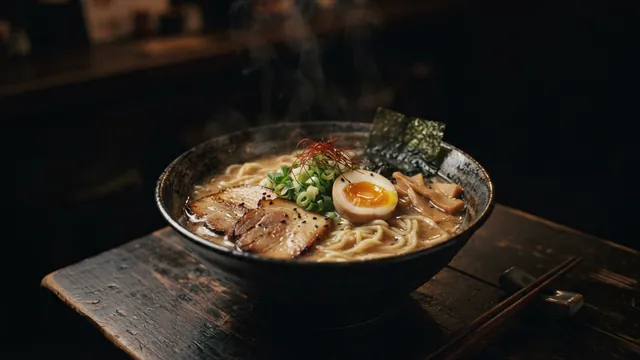
Real results from AIPhoto-Generator, with a placeholder label added by this page. The main image's prompt: “A bowl of ramen with a soft-boiled egg, sliced pork and scallions on a dark wooden table, plain dark background, gentle steam rising, moody low light”
Shapes
Which shape to pick for YouTube
YouTube uses different shapes for videos, Shorts and podcast playlists. Each image is made at one aspect ratio, so pick it before you generate.
16:9
Video thumbnail
YouTube asks for 16:9, at least 640 px wide, and recommends 3840 × 2160. Ours is above the minimum and the older 1280 × 720 figure, but well below the recommendation.
Output: 1376 × 768 px · source: YouTube Help: add video thumbnails
Try it at 16:99:16
Shorts thumbnail
YouTube asks for 9:16, at least 640 px tall. Custom Shorts thumbnails are added in YouTube Studio on a computer.
Output: 768 × 1376 px · source: YouTube Help: add video thumbnails
Try it at 9:161:1
Podcast playlist
YouTube asks for a square thumbnail for podcast playlists. Use 16:9 for the episodes themselves.
Output: 1024 × 1024 px · source: YouTube Help: add video thumbnails
Try it at 1:1
Prompt ideas
YouTube thumbnail prompts by niche
Each prompt says where the empty space goes and ends with “no text or lettering”, so the title area stays clean. They open in the generator with the style and shape already set.
Tech review
An unbranded smartphone lying face-down on a matte black desk, single blue rim light, the phone in the right third, a smooth dark gradient across the left half, no logos, no text or lettering
- Style
- Cinematic
- Ratio
- 16:9
The dark left half takes a white title.
Cooking video
A cast-iron skillet of sizzling garlic shrimp on a dark stovetop, steam rising, hard side light, the pan in the left third, the right half dark and empty, no text or lettering
- Style
- Cinematic
- Ratio
- 16:9
Food reads well large. Keep the dish on one side and the title on the other.
Personal finance
A glass jar of plain coins with a small green sprout growing from it on a light wooden table, pale clean background, the jar in the right third, the left half empty, no text or lettering
- Style
- Studio
- Ratio
- 16:9
A bright empty area suits a dark title.
Explainer or education
A single glowing light bulb hanging in front of a dark green chalkboard, the bulb in the right third, the board clean and empty on the left, soft chalk dust, no writing, no numbers, no text or lettering
- Style
- Cinematic
- Ratio
- 16:9
“No writing” keeps fake chalk words off the board.
True crime or mystery
A foggy forest road at night under a single streetlamp, distant red tail lights, dark empty sky across the top third, no people, no text or lettering
- Style
- Cinematic
- Ratio
- 16:9
The empty band across the top takes a one-line title.
Gaming channel
A glowing neon arena at night with purple and teal light beams and haze, a wide empty floor in the foreground, no characters, no logos, no text or lettering
- Style
- Cinematic
- Ratio
- 16:9
It describes a mood, not a game: game characters and logos aren't allowed.
Podcast episode
Two empty studio chairs and microphones facing each other, warm lamps, dark backdrop, empty space across the top, no people, no logos, no text or lettering
- Style
- Photorealistic
- Ratio
- 16:9
Run it again at 1:1 for the podcast playlist thumbnail.
Travel vlog
A turquoise lagoon seen from above with a small wooden boat in the right third, calm empty water across the left half, bright midday sun, no people, no text or lettering
- Style
- Photorealistic
- Ratio
- 16:9
Calm water is a clean place for a title.
Faceless ideas
Faceless YouTube thumbnail ideas
No face needed: one bold object, a strong scene or a clean color backdrop can carry a thumbnail. Every idea leaves space for the title.
One bold object
Cracked hourglass
A cracked glass hourglass with red sand spilling out on a black surface, hard spotlight from above, the hourglass in the right third, the left half black and empty, no text or lettering
Old brass key
An old brass key floating against a deep blue background, soft glow around it, the key in the left third, the right half empty, no text or lettering
Paper plane
A white paper plane in flight against a clear orange sunset sky, the plane in the right third, open sky across the left half, no text or lettering
Moody scenes
Empty desert highway
A straight empty desert highway at dusk vanishing into the horizon, purple sky across the top half, no cars, no people, no text or lettering
Rainy window at night
Raindrops on a window at night with blurred city lights behind, a dark empty band across the top third, no people, no text or lettering
Old library aisle
A dusty old library aisle lit by one beam of light from the right, plain unmarked book spines, deep shadows on the left, no people, no text or lettering
Clean color backdrops
Bright gradient
A smooth gradient backdrop from electric blue to violet with soft light from the upper right, completely empty, no objects, no text
Crumpled paper
Crumpled bright yellow paper filling the frame, even studio light, no objects, no text or lettering
Split backdrop
A studio backdrop split diagonally into deep red and black halves, soft light, empty, no objects, no text
Shorts (9:16)
Neon alley
A narrow rainy alley at night with pink and blue neon light reflecting on the wet ground, the middle of the frame clear, dark empty space at the top, no people, no signs or lettering
Steaming mug
A steaming coffee mug on a windowsill on a grey morning, the mug in the lower middle, soft empty sky in the upper half, no text or lettering
Summit at sunrise
A lone mountain summit at sunrise above a sea of clouds, the peak in the lower middle, open pale sky across the top third, no people, no text or lettering
Want your face in it? Make the scene here, then add your own photo in a design app. Real people, celebrities, game characters and logos can't be generated: see the Acceptable Use Policy.
Prompt formula
A prompt formula for thumbnail backgrounds
Decide where the title goes first, then write the prompt around it.
[one subject] in the [left/right] third, [setting], [dramatic light], [the other side dark or bright and empty], no text or lettering, no logos
01 Instead of “tech thumbnail”
A pair of unbranded wireless earbuds in an open case on a black glass desk, single cyan rim light, the case in the right third, the left half dark and empty, no logos, no text or lettering
02 Instead of “money video”
A neat stack of plain gold coins on a white marble surface, bright clean light, the stack in the left third, the right half bright and empty, no text or lettering
03 Instead of “scary story”
An old wooden cabin in a dark pine forest with one lit window, thick fog, the cabin in the right third, dark empty sky across the top, no people, no text or lettering
Words that cause trouble
Quoted words or “with the title …” Lettering inside AI images is unreliable and often misspelled. Add the title in a design app.
“Shocked YouTuber” or “my face” A made-up face isn't you, and real people can't be generated. Add your own photo in a design app.
Game, film or brand names Characters, logos and brands aren't allowed under the Acceptable Use Policy. Describe a mood instead (“neon arena”).
“Lots of things”, “busy” Too much detail fights the title at small sizes. One large subject reads better.
Examples
Real 16:9 and 9:16 results
Real images from AIPhoto-Generator, each with the exact prompt that made it. None was made for YouTube, but each shows a shape or an empty area that suits a thumbnail.
Dark, empty space above and to the right of the bowl: room for a light title.
Prompt: A bowl of ramen with a soft-boiled egg, sliced pork and scallions on a dark wooden table, plain dark background, gentle steam rising, moody low light
Real result · Cinematic · made at 16:9 · about this image: Moody ramen
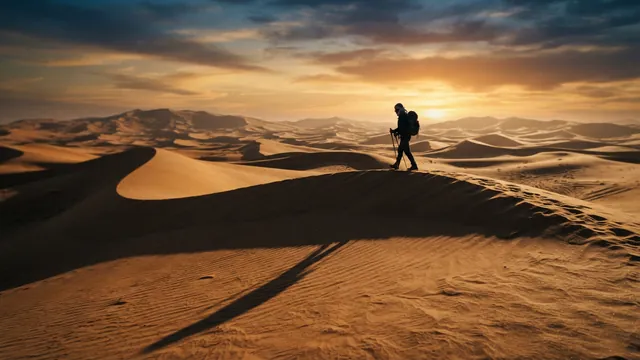
Open sky across the top and a small figure on the right third.
Prompt: Sweeping sand dunes at sunset with long shadows and a lone traveler walking along the ridge
Real result · Cinematic · made at 16:9 · about this image: Dunes at sunset
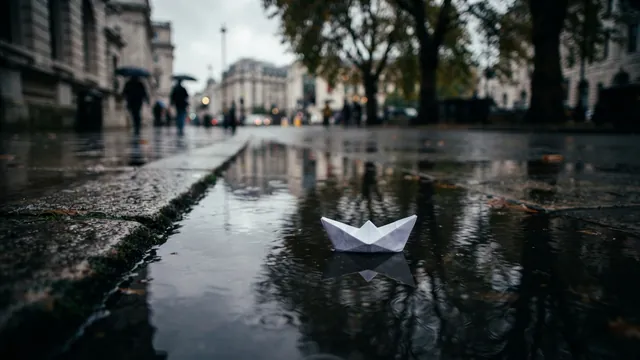
One small subject in the middle of a calm reflection: a mood for a story video.
Prompt: A small white paper boat floating on a rain puddle on a city sidewalk, reflections of trees in the water, overcast light
Real result · Cinematic · made at 16:9 · about this image: Paper boat in a puddle
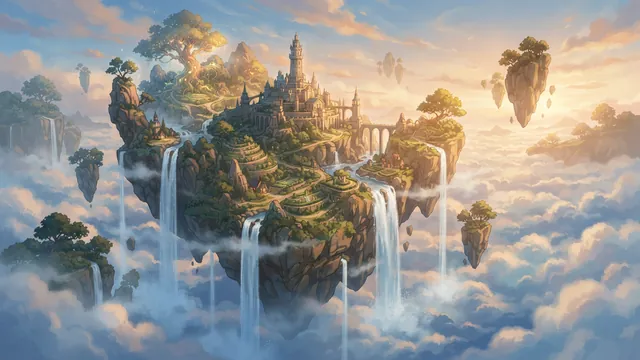
Illustration style for fantasy, explainer or kids' channels.
Prompt: Concept art of a floating island with waterfalls spilling into a sea of clouds, soft afternoon light
Real result · Illustration · made at 16:9 · about this image: Floating island concept
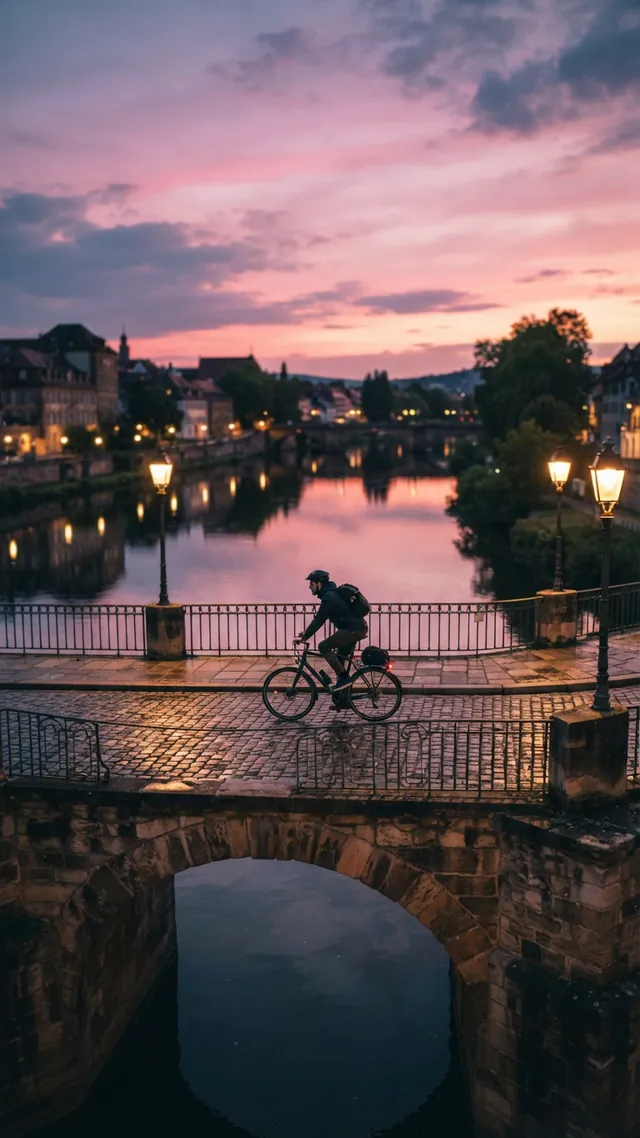
A 9:16 result for a Shorts thumbnail: the subject in the middle, with sky at the top.
Prompt: A cyclist crossing an old stone bridge at dusk, warm street lamps glowing, pink and violet sky reflected in the river below
Real result · Cinematic · made at 9:16 · about this image: Bridge at dusk
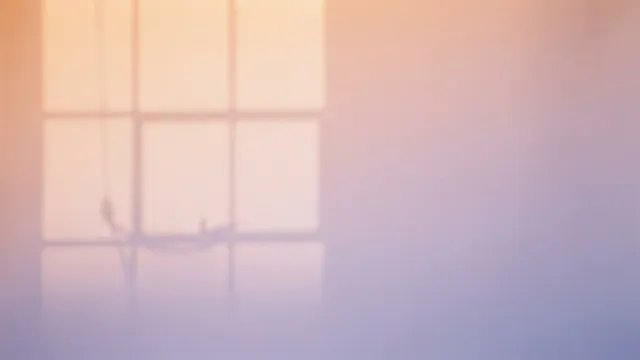
A plain gradient backdrop: add a cut-out of yourself and the title on top in a design app.
Prompt: Soft gradient of warm peach to lavender light on a seamless paper backdrop with the faint shadow of a window frame, minimal abstract background, photograph
Real result · No style · made at 16:9 · about this image: Peach and lavender backdrop
Where the title goes
Where the title goes on a YouTube thumbnail
Plan the empty space before you write the prompt: the title gets one side, the subject the other.
- Pick the title's place first: the left third, the right third or a band across the top.
- Put the subject on the opposite side. YouTube's own tips mention the rule of thirds.
- Dark empty areas suit white text; bright ones suit dark text.
- Keep it simple: YouTube's tips say not to make the design too complex.
- Preview it at a small size before you upload: YouTube notes thumbnails show up differently across devices.
- Phrases that leave room: “the left half dark and empty”, “empty sky across the top third”, “subject in the right third”, “no text or lettering”.
Sizes
YouTube thumbnail sizes, from YouTube Help
Checked on 11 October 2026. YouTube accepts JPG and PNG, and downloads from here are PNG.
Our 16:9 image is 1376 × 768 px, a touch wider than exact 16:9. Placed on a 1280 × 720 canvas in a design app, about 5 px is trimmed from each side, which nobody will notice.
| Where it shows | What YouTube asks for | Shape to pick here |
|---|---|---|
| Video thumbnail | 16:9, at least 640 px wide; 3840 × 2160 recommended | 16:9, 1376 × 768 px |
| Shorts thumbnail | 9:16, at least 640 px tall; 2160 × 3840 recommended. Added in YouTube Studio on a computer | 9:16, 768 × 1376 px |
| Podcast playlist | 1:1 (square) | 1:1, 1024 × 1024 px |
| Vertical (non-Shorts) video | A 16:9 custom thumbnail is replaced by an automatic 4:5 one on the home, explore and subscription pages; yours still shows on the watch feed, watch history and non-mobile platforms | 16:9 as usual: YouTube gives no separate size for vertical videos |
| File size | Up to 2 MB when uploading on mobile, 50 MB on a computer | Our PNGs are usually 1.1–2.2 MB: upload from a computer, or save a JPG copy |
Sources: YouTube Help: add video thumbnails
YouTube rules
Are AI thumbnails allowed on YouTube?
Yes. YouTube's page on disclosing AI content lists using generative AI to create or improve a thumbnail as production help that doesn't need to be disclosed. Realistic AI content inside the video itself is a different matter and can need a label.
Thumbnails still have to follow YouTube's thumbnail policy: no sexual imagery, violence meant to shock or graphic gore, no vulgar language, and nothing that misleads viewers about what's in the video. A thumbnail that breaks the policy can be removed, and the channel can get a strike.
Sources: YouTube Help: disclosing use of GenAI content · YouTube Help: thumbnails policy
How it works
From prompt to published thumbnail
Your first 3 images are free, and you don't need an account for them.
- 01
Generate the background
Pick 16:9, or 9:16 for a Short, describe the scene and say which side stays empty.
- 02
Add the title
Download the PNG and add the title, and your photo if you want one, in a design app. YouTube's tips suggest an easy-to-read font.
- 03
Upload in YouTube Studio
Add it as the custom thumbnail. Your account needs to be verified, and there's a daily limit on custom thumbnail uploads.
- 04
Test it (optional)
For long videos, YouTube Studio can test up to 3 thumbnails and picks a winner by watch time. Testing runs on a computer and isn't available for Shorts.
Tips
Tips for thumbnail backgrounds
Name the empty side
Say which side stays empty, for example “the left half dark and empty”.
One subject, large
Thumbnails are small on most screens. One big object reads; five small ones don't.
Contrast for the title
Ask for a dark area for white text, or a bright area for dark text.
Keep a series consistent
Reuse the same light, palette and style words in every prompt, so a playlist looks like one series.
Show what's in the video
YouTube removes thumbnails that mislead viewers about the video.
Good to know
What it doesn't do
Text and titles
It doesn't add text: lettering inside AI images is unreliable.
Your face
There's no photo upload, and it can't show real people or celebrities.
Video input
It can't make a thumbnail from your video or a YouTube link. YouTube Studio can suggest thumbnails from your video.
Templates and testing
There are no templates, no editor and no A/B testing.
Resolution
Images are about 1 megapixel (1376 × 768 px at 16:9), below YouTube's 3840 × 2160 recommendation.
FAQ
Questions about the AI YouTube thumbnail generator
More answers on the main FAQ and the pricing page.
What size should a YouTube thumbnail be?
YouTube asks for 16:9, at least 640 px wide, and recommends 3840 × 2160, as a JPG or PNG. AIPhoto-Generator makes 16:9 images at 1376 × 768 px: above the minimum and the older 1280 × 720 figure, but well below the recommendation. The aspect ratio guide lists every size.
Is a YouTube thumbnail 1280 × 720 or 1920 × 1080?
Neither is required. 1280 × 720 is a figure many guides still quote. YouTube now recommends 3840 × 2160 and accepts any 16:9 image at least 640 px wide; larger images look sharper on big screens.
What size is a Shorts thumbnail, and how do I add one?
9:16, at least 640 px tall, with 2160 × 3840 recommended. Custom Shorts thumbnails can only be added in YouTube Studio on a computer, and your account needs to be verified. Pick 9:16 here: vertical images are 768 × 1376 px.
Are AI thumbnails allowed on YouTube? Do I have to disclose them?
They're allowed, and YouTube lists using generative AI to create a thumbnail as production help that doesn't need to be disclosed. The thumbnail must still follow YouTube's policies and must not mislead viewers about the video.
Can it put my title on the thumbnail?
No. Lettering inside AI images is unreliable, so every prompt here asks for empty space and no text. Add the title in a design app; YouTube's tips suggest an easy-to-read font.
Can I put my face, or a celebrity, in the thumbnail?
Not here: there's no photo upload, and images of real people aren't allowed under our Acceptable Use Policy. Make the scene here, then add your own photo on top in a design app.
Can it make a thumbnail from my video or a YouTube link?
No, it works from a text prompt only. YouTube Studio itself can suggest thumbnails based on your video.
Can I A/B test thumbnails?
Not here. YouTube Studio's own test tries up to 3 thumbnails, on a computer, for long videos only (not Shorts), and picks a winner by watch time. Your channel needs advanced features turned on.
PNG or JPG?
YouTube accepts both. Downloads from here are PNG, usually 1.1–2.2 MB. Uploads from a phone are limited to 2 MB, so upload from a computer (50 MB limit), or save a JPG copy if a file is too big.
What are good faceless thumbnail ideas?
One bold object, a moody scene or a clean color backdrop, each with space for the title. See the faceless ideas above: every one opens in the generator.
Can I use the images on a monetized channel?
Generated images can be used under our Terms of Service and the AI model provider's terms; read both before commercial use. We don't claim ownership of your images, and copyright protection for AI images varies by country. Don't recreate logos, game characters or other people's artwork, which our Acceptable Use Policy doesn't allow.
Is the YouTube thumbnail generator free? Is there a watermark?
It's free to try: your first 3 images are free, with no account, and they don't reset. At busy times, free capacity for the whole site can run out. After that, generating uses paid images from an image pack or the Pro plan. Paid plans allow up to 4 images per prompt, and each image uses one paid image. See pricing. We don't add a visible watermark.
Where can I learn more about images for YouTube and social media?
The AI images for social media guide covers sizes for the main social platforms. For posts on other platforms, use the social media image generator; for cooking channels, the AI food photo generator.
More ways to use the generator
- AI social media image generatorImages for feeds, headers, thumbnails and Stories, with a shape for every kind of post.
- Blog featured image generator16:9 featured images that also work as link previews and in Google Discover.
- AI presentation background generatorSoft 16:9 slide backgrounds for PowerPoint, Google Slides, Keynote and Canva.
- AI Instagram post generatorFeed post, square and Story images from a prompt, with ready-to-run Instagram prompts.
Guides for this
- AI images for social mediaWhich aspect ratio to pick for posts, Stories and carousels, with real examples and notes on size and text.
- AI image aspect ratiosHow to choose the right shape for an AI image, with the output size of each of the six ratios.
- AI photo styles comparedThe exact words each of the six styles adds to your prompt, with a real example of each.
Start creating
Your next image is one sentence away.
Describe it, generate it, download it. Your first 3 images are free, no account needed.