AI photo generator, free to try: Turn a sentence into a photo.
Describe the subject, the place and the light. Pick a style and a shape, and download a PNG, usually in about 5 seconds. Your first 3 images are free, no account needed.
- 3 free images
- No account
- PNG download
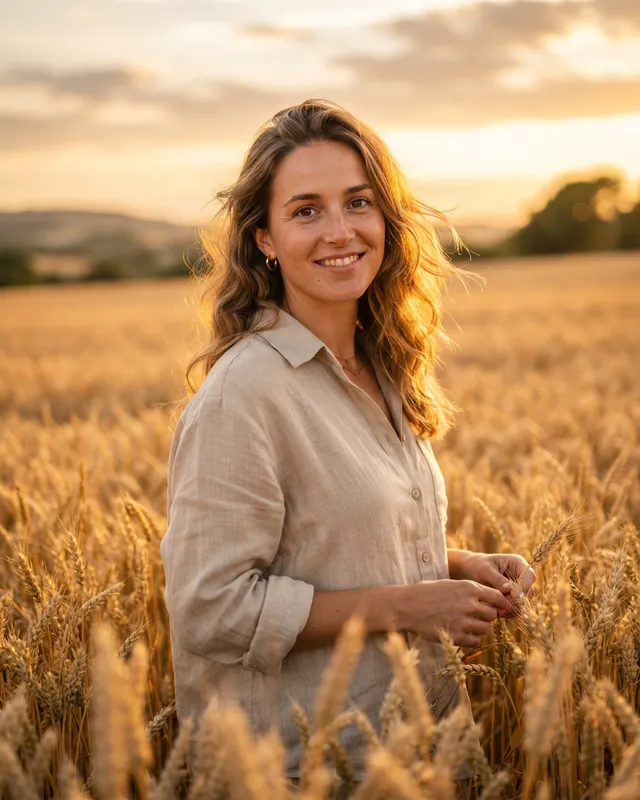
Portrait of a woman in a linen shirt standing in a wheat field at golden hour, warm backlight, 85mm lens, shallow depth of field
Real prompts, real results, sped up. Every image on this page was made with AIPhoto-Generator.
Real examples
Each one started as a sentence
Every image below was generated with AIPhoto-Generator from the prompt under it. None of them are stock photos. Open one to see it larger, then make your own version.
- . View larger with its prompt
“Portrait of a woman in a linen shirt standing in a wheat field at golden hour, warm backlight, 85mm lens, shallow depth of field”
 . View larger with its prompt
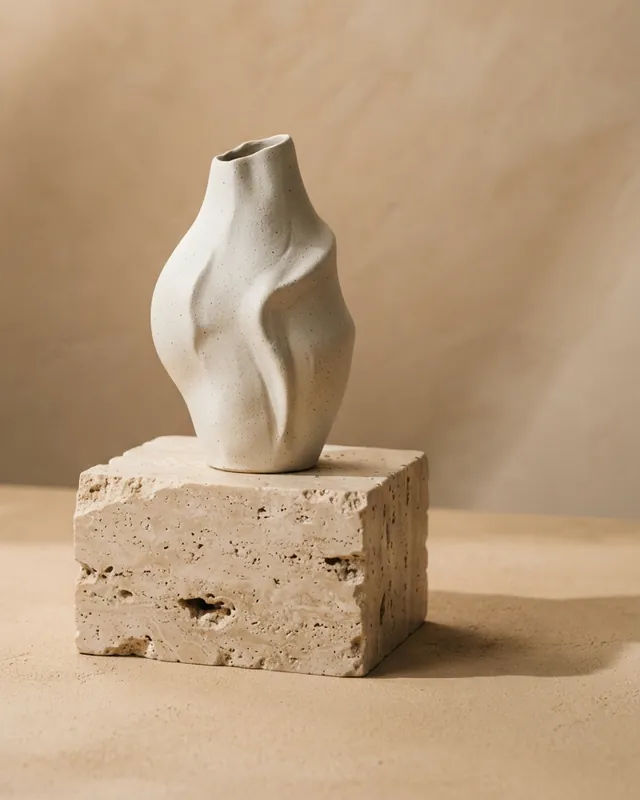
“Minimal sculptural ceramic vase on a travertine block, soft directional shadows, warm beige studio backdrop”
 . View larger with its prompt
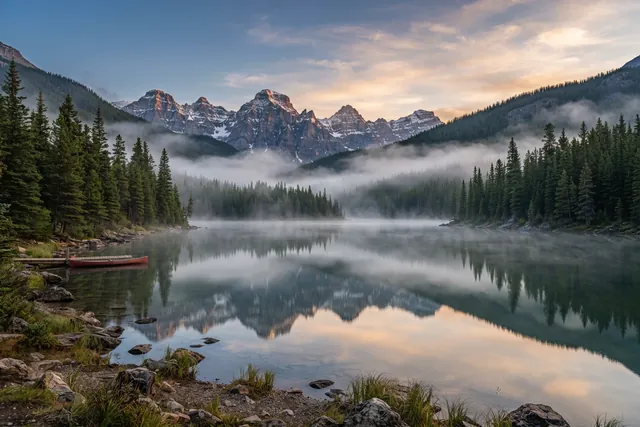
“Still alpine lake at dawn, mist drifting over the water, pine-covered mountains mirrored on the surface”
 . View larger with its prompt
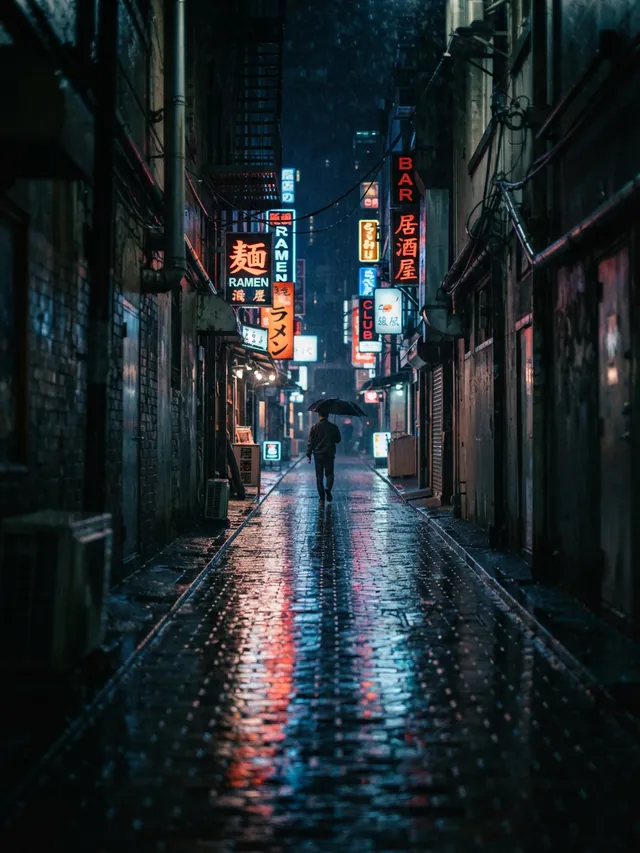
“Rain-soaked city alley at night, neon signs reflecting on wet pavement, a lone figure with an umbrella in the distance”
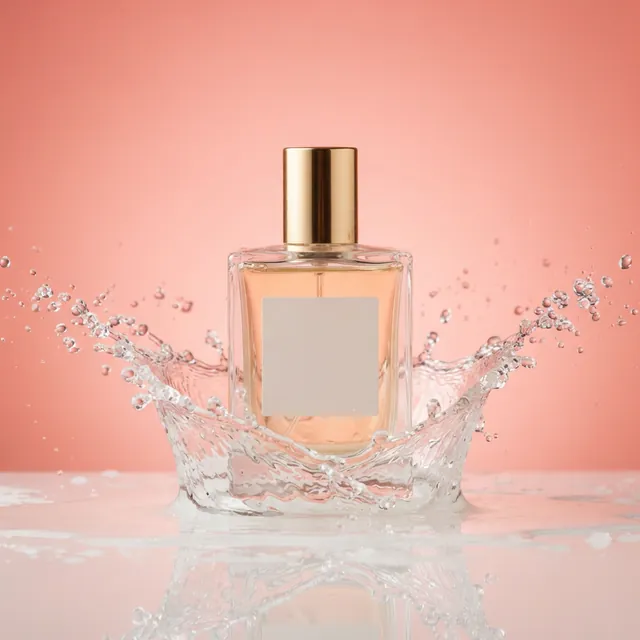 . View larger with its prompt
“Glass perfume bottle with a gold cap and a blank, unlabeled front on a glossy surface, frozen water splash around the base, coral studio background”
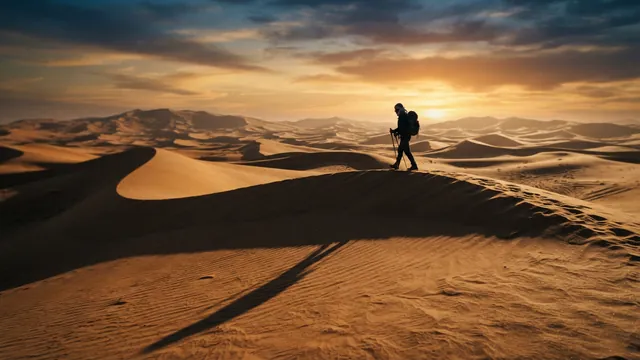 . View larger with its prompt
“Sweeping sand dunes at sunset with long shadows and a lone traveler walking along the ridge”
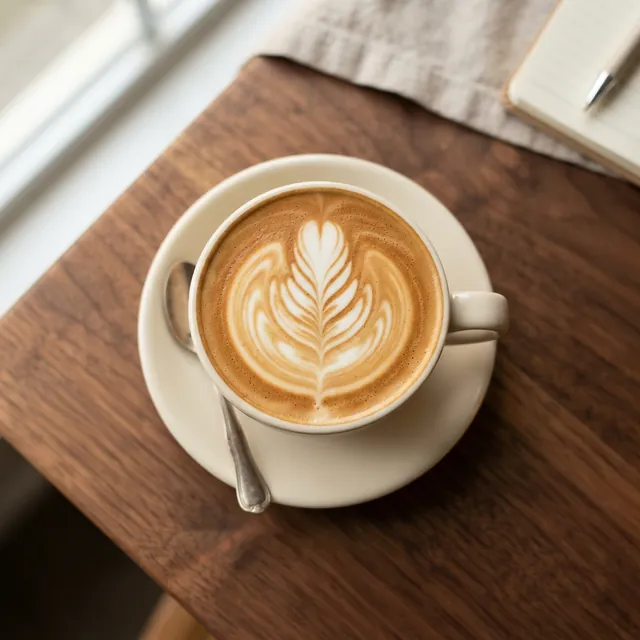 . View larger with its prompt
“Top-down photo of a latte with rosetta latte art on a walnut table, soft morning light”
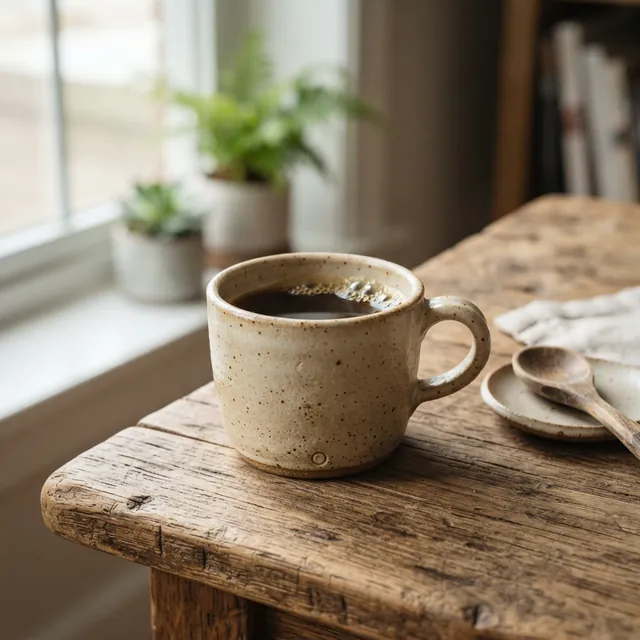 . View larger with its prompt
“A small handmade ceramic cup on a wooden table, soft daylight, photorealistic photograph”
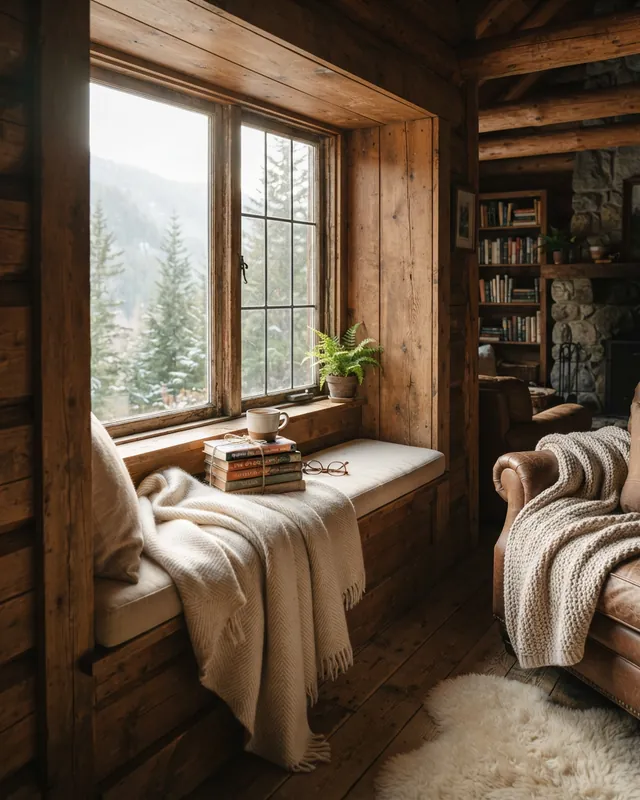 . View larger with its prompt
“Cozy reading nook in a timber cabin, morning light streaming through the window onto a wool throw and stacked books”
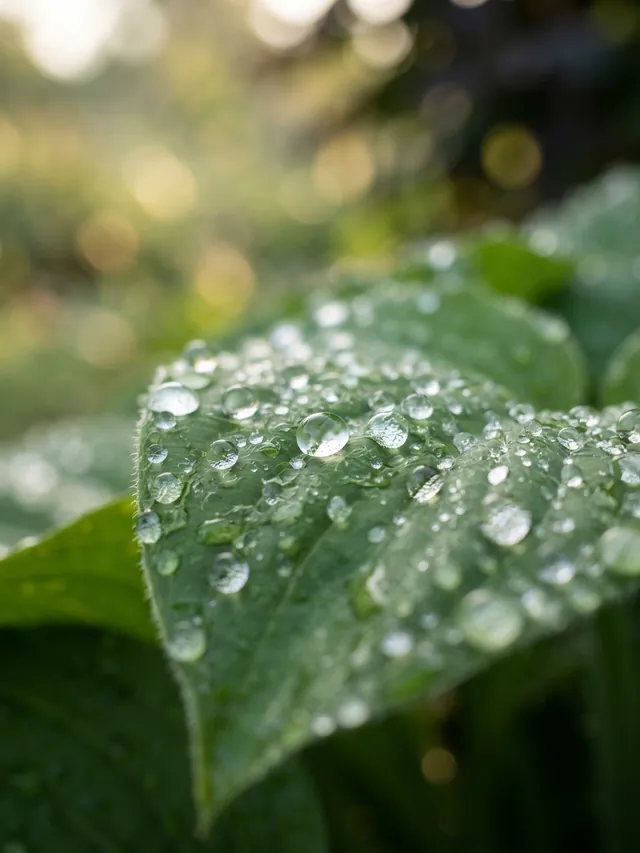 . View larger with its prompt
“Macro photograph of dew drops on a green leaf, soft bokeh background, early morning”
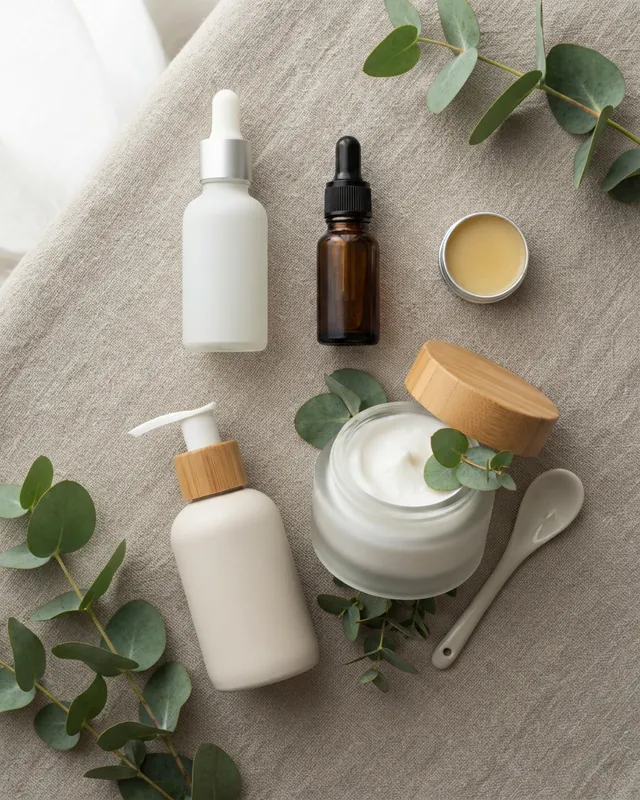 . View larger with its prompt
“Flat lay of minimalist skincare bottles with blank, unlabeled packaging and a frosted jar with eucalyptus sprigs on natural linen, soft daylight”
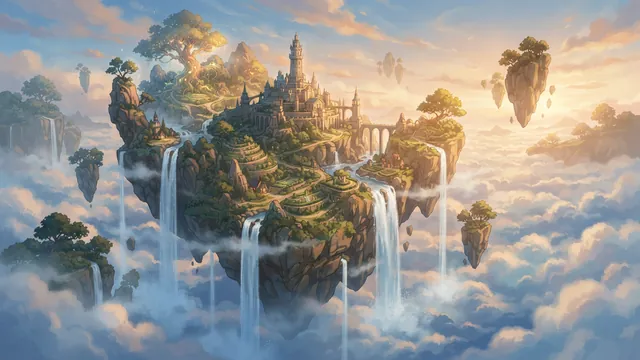 . View larger with its prompt
“Concept art of a floating island with waterfalls spilling into a sea of clouds, soft afternoon light”
How it works
How to make an AI photo in 3 steps
To make an AI photo, describe the image in a sentence, press Generate and download the result. Your first 3 images are free, and you don't need an account for them.
Minimal sculptural ceramic vase on a travertine block, soft directional shadows, warm beige studio backdrop
Studio4:501Describe
Write what you want to see: the subject, where it is, the light and the lens. Pick a style and a shape.
- Developing…02
Generate
Press Generate. The AI turns your words into a brand-new image, usually in about 5 seconds. Every take is new.
- Download PNG03
Download
Save a clean PNG of about 1 megapixel. Not quite right? Change one word and generate again.
Need ideas? Browse prompt examples with real results, or read our tips for realistic results.
Quick facts
AIPhoto-Generator at a glance
AIPhoto-Generator is an AI photo generator that turns a written description into a new, realistic image, usually in about 5 seconds. Pick one of six styles and six aspect ratios, press Generate and download a PNG. Your first 3 images are free without an account; the free images don't reset.
Facts last checked .
- Free use
- 3 free images per visitor, then paid packs or Pro
- Account
- Not needed: no sign-up, no email
- Speed
- Usually about 5 seconds per image; longer at busy times
- Output
- PNG, about 1 megapixel (1024 × 1024 px for square)
- Styles
- 6: Photorealistic (default), Cinematic, Studio, Editorial, Illustration and No style
- Aspect ratios
- 1:1, 4:5, 3:4, 3:2, 16:9 and 9:16
- Input
- Text only, no photo upload
- Privacy
- No public gallery; prompts, image links and country are kept 7 days, for our admins onlyRead the Privacy Policy
- Model
- nano-banana-lite through Moda's APIAbout the model and how the site works
What it does
- Creates new images from a written description
- Offers 6 styles; all but No style add a short phrase to your prompt
- Offers 6 aspect ratios for posts, banners and stories
- Lets you download every image as a PNG
- Keeps your history of prompts and image links in your browser
What it doesn't do
- Upload, edit or retouch your photos
- Make headshots of you or photos of your actual product
- Upscale images or produce large print sizes
- Reliably render text inside images
- Allow, under its Terms, misleading or harmful images of real people, or images that infringe brands or characters
- Give more than 3 free images: after that, images are paid
Features
What the AI photo generator does
AIPhoto-Generator is a focused text-to-image tool: describe what you want, choose one of 6 styles and download the result as a PNG. It runs in your browser, with nothing to install.
Prompt
Rain-soaked city alley at night, neon signs reflecting on wet pavement, a lone figure with an umbrella in the distance
Text to image
Write a sentence, get a picture. Describe the subject, setting, light and mood in plain language.
Photorealistic results
The default Photorealistic style aims for lifelike photos: natural light, sharp focus and fine detail.
Fast generation
Images are usually ready in about 5 seconds. At busy times it can take a little longer.
Multiple creative styles
Switch between Photorealistic, Cinematic, Studio, Editorial and Illustration in one click, or pick No style to use your prompt as written.
PNG downloads
Download each image as a PNG of about 1 megapixel, sized for websites, social posts and slides.
Made for everyday creative work
Product concepts, ad ideas, blog headers and social content. Check the Terms before you use an image commercially.
Variations
Same prompt. A new image every time.
The same prompt gives a different image every time, because every generation is new and there is no seed. If the first result isn't quite right, generate again for a fresh take on the same idea.
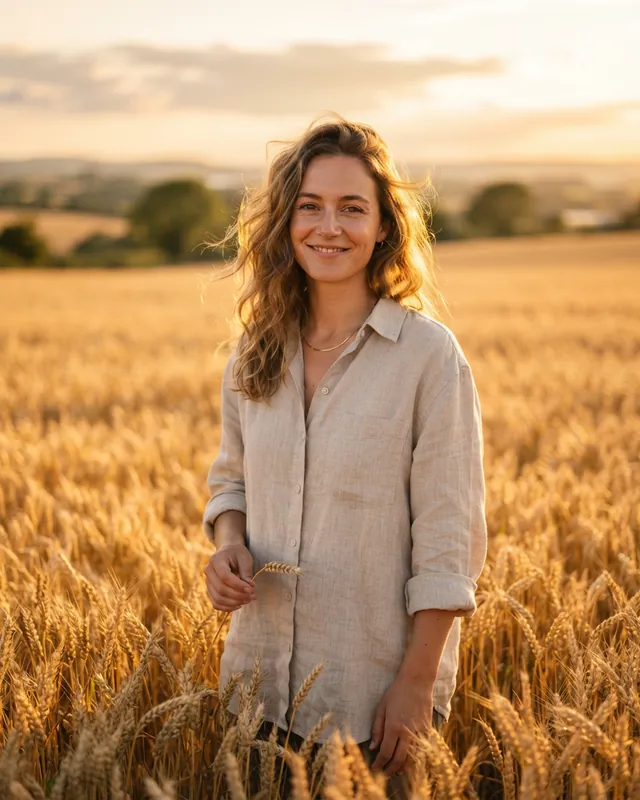
Prompt: Portrait of a woman in a linen shirt standing in a wheat field at golden hour, warm backlight, 85mm lens, shallow depth of field
Try this prompt: Golden hour portraitUse cases
What can you make with an AI photo generator?
With an AI photo generator you can make social posts, product concepts, ad ideas, blog headers, food and drink photos and concept art from a single sentence. Every image is new, so it suits ideas and mockups rather than photos of something you already own.
Social media
Visuals for posts, stories and carousels, in square, portrait and story formats.
Read the guide to AI images for InstagramProduct concepts
Product concepts and mockup scenes for planning a shoot or pitching an idea. There is no photo upload, so it can't show your actual product.
Advertising
Explore ad concepts and campaign visuals quickly, then refine the directions that work.
Content creation
Blog headers, newsletter images and thumbnails that match your topic.
Read the guide to AI stock photosFood and drink
Dishes and drinks for food blogs, social posts and menu mockups, from overhead flat lays to moody close-ups.
Read the AI food photo guideCreative concepts
Mood boards, storyboards and concept art to explore ideas before production.
Made for a specific job
Start from your use case
Each page has ready-to-run prompts, the right image shape for the job and a plain note on what the generator can't do there.
- AI Instagram post generatorFeed post, square and Story images from a prompt, with ready-to-run Instagram prompts.
- AI social media image generatorImages for feeds, headers, thumbnails and Stories, with a shape for every kind of post.
- AI PFP generatorAvatars, characters and aesthetic profile pictures made from a description, not from your photo.
- AI carousel post makerMatching images for every slide of a carousel, from prompts that share the same look.
- AI gift card generatorArtwork for printed and emailed gift cards, ready for your text, name and amount.
- AI YouTube thumbnail generator16:9 thumbnail and 9:16 Shorts backgrounds with empty space for your title.
- AI virtual background generator16:9 backgrounds for Zoom, Teams and Google Meet, with a calm middle behind you.
- Blog featured image generator16:9 featured images that also work as link previews and in Google Discover.
- AI presentation background generatorSoft 16:9 slide backgrounds for PowerPoint, Google Slides, Keynote and Canva.
- AI newsletter header generatorWide header artwork for Mailchimp, Substack, beehiiv and Kit, ready to crop.
Pricing
Start free. Pay per image after.
3 free images first. Styles and shapes never cost extra, and paid packs never expire.
Starter
$5one time
100 images · 5¢ per image
- Up to 4 images per prompt
- No daily limit
- Images never expire
- Largest pack
Creator
$15one time
400 images · 3.8¢ per image
- Up to 4 images per prompt
- No daily limit
- Images never expire
- Lowest price per image
Pro
$9per month
300 images a month · 3¢ per image
- Up to 4 images per prompt
- No daily limit
- Unused images roll over
Your next photo is one sentence away.
Describe it, generate it, download it. Your first 3 images are free, no account needed.
Make your first imageWhat is an AI photo generator?
An AI photo generator is a tool that creates a new image from a written description. You type something like “Top-down photo of a latte with rosetta latte art on a walnut table, soft morning light”, and an image model draws a picture that matches it. You use AIPhoto-Generator in your browser, with nothing to install, and the image is usually ready in about 5 seconds. Choosing between tools? See how to choose an AI image generator.
Is AIPhoto-Generator free?
It's free to try. Every visitor gets 3 free images, with no account and no email. They don't reset: after that, generating uses paid images from an image pack or the Pro plan; see pricing. Styles and aspect ratios cost nothing extra.
How much does AIPhoto-Generator cost?
Your first 3 images are free. After that, Starter is $5 for 100 images and Creator is $15 for 400 images, both paid once, and their images never expire. Pro is $9 a month for 300 images, and unused images roll over. Prices are in US dollars; see pricing.
Do I need to sign up?
No. You don't need an account, an email address or a password for your 3 free images. Open the generator, describe the image and press Generate.
How long does it take to generate an image?
Usually about 5 seconds per image. It can take longer when many people are generating at the same time.
What size are the images, and in what format?
Every image is a PNG file of about 1 megapixel. A square 1:1 image is 1024 × 1024 px and a 4:5 portrait is 928 × 1152 px; the other aspect ratios are also about 1 megapixel. That is fine for websites, social posts and slides, but too small for large prints.
Which styles and aspect ratios can I choose?
You can choose from 6 styles and 6 aspect ratios. The styles are Photorealistic, Cinematic, Studio, Editorial, Illustration and No style; Photorealistic is the default, and each style except No style adds a short phrase to the end of your prompt, at no extra cost. The aspect ratios are 1:1 for square posts, profile images and product tiles; 4:5 for Instagram feed posts and portraits; 3:4 for taller Instagram feed posts, portraits and Pinterest; 3:2 for classic photos and in-article blog images; 16:9 for banners, blog headers and slides; 9:16 for Stories, Reels and phone wallpapers. Compare the styles to see the exact words each one adds, and read how to choose an aspect ratio before you pick a shape.
Can I make more than one image per prompt?
Yes, on paid plans: up to 4 images per prompt, and each one uses one paid image. Free images are made one per prompt.
Can I upload my own photo to edit it?
No. AIPhoto-Generator is text to image only: it creates new images from a written description and can't upload, edit, retouch or upscale an existing photo. That makes it the wrong tool for headshots of you or photos of your actual product. Use it for new scenes, concepts and mockups instead. For how the two kinds of tool differ, see text-to-image vs image-to-image.
Is there a watermark?
We don't add a visible watermark to your images. You download each image as a PNG file.
Can I use the images commercially?
It depends on how you use them. Commercial use is subject to our Terms of Service and to the terms of the AI model provider, which can change, so check both before using an image in paid work. Avoid prompts that show real people, trademarks or copyrighted characters, and review every image before you publish it. Can you use AI images commercially? covers copyright and platform rules in more detail.
Who owns the images I create?
We don't claim ownership of the images you generate. Your right to use them is set by our Terms of Service and the model provider's terms. Copyright protection for AI-generated images varies by country and may not be available.
Can I create images of real people, brands or characters?
Only within our Terms. They don't allow misleading, sexual, defamatory or harmful images of real, identifiable people, or images that infringe trademarks or copyrighted characters, so the safest prompts leave names, logos and characters out. In our testing the model tended to invent trademark-like logos on products, which is why the Studio style asks for unbranded products. Check product images for invented labels before you use them.
Can I make nude, sexy or NSFW images?
No. AIPhoto-Generator doesn't make nude, half-naked, sexual or sexually suggestive images of anyone, including swimwear, lingerie and underwear shots, and never anything that involves minors. Prompts like that are refused before an image is made, in any language, so they don't use up a free or paid image, and when a prompt shows people, the image model is asked to keep everyone fully clothed. Every finished image is also checked automatically for nudity before it's shown; one that fails isn't shown, paid images are returned, and a free image still counts. The full rules are in the Acceptable Use Policy.
Do you store my prompts and images?
Prompts and image links, for 7 days; not the images themselves. Your prompt is sent to our AI provider, Moda, to create the image. For every delivered image, our server keeps the prompt, the settings, the image links and the country the request came from for 7 days, so our admins can look into problems and misuse, then deletes them. A prompt our content filter refuses is kept for 7 days to spot repeated misuse. Before an image is shown, our moderation provider, Sightengine, checks it for nudity. Moda hosts the image at an unlisted link that may expire, so download any image you want to keep. Your history of prompts and image links is also stored in your browser. The free-image limit uses a salted one-way hash of your IP address, and the raw IP address isn't stored. We also keep a one-way fingerprint of each request for about a day, so a retried request isn't counted twice. Google Analytics only runs if you allow it in the cookie banner, and it is never sent the query string of the page address, so it doesn't see your prompts. Cloudflare Web Analytics also counts page views and page-load speed, without cookies and without query strings. Details are in the Privacy Policy.
Are my images public?
No. AIPhoto-Generator has no public gallery or feed, so other visitors can't browse what you make. Each image is hosted at an unlisted link that may expire, so download any image you want to keep. Are your AI images public? compares what other generators do by default.
Why does the same prompt give a different image each time?
Because every generation is new. There is no seed setting, so the same prompt gives a different image each time and an exact result can't be repeated. Generate 2 or 3 versions and keep the one you like; the same-prompt pairs on this page show real results from identical prompts. The full explanation is in why the same prompt gives a different AI image.
Which AI model does AIPhoto-Generator use?
AIPhoto-Generator uses nano-banana-lite through Moda's API. Moda lists it as “NanoBanana 2 Lite”, with “gemini” as its provider. AIPhoto-Generator is independent: we are a customer of Moda, not owned by or affiliated with Moda or Google. Read more on the About page.
How does AIPhoto-Generator compare with Midjourney or Leonardo AI?
AIPhoto-Generator is a simpler text-to-image tool that you can try without an account; it doesn't edit photos you upload, and it has no public gallery. We keep sourced, dated comparisons: Midjourney vs AIPhoto-Generator, Leonardo AI vs AIPhoto-Generator and all comparisons. If you already use one of them, see Midjourney alternatives and Leonardo AI alternatives.
What's the difference between an AI photo generator and an AI image generator?
Usually nothing: both create new images from a text description. “Photo” suggests realistic, camera-like results, which is what the default Photorealistic style aims for. The other styles (Cinematic, Studio, Editorial, Illustration and No style) let you choose a different look in the same tool.
How do I write a good prompt?
Start with the subject, then add the setting and the light, then a lens or camera angle if it matters, and put any mood words last. For example: “Minimal sculptural ceramic vase on a travertine block, soft directional shadows, warm beige studio backdrop” (Studio style, 4:5). Describe the light rather than the equipment: in our testing, asking for “softbox lighting” put a softbox in the picture. See real prompt examples and how to make AI photos look real.