AI presentation background generator: Slide backgrounds from one sentence
Describe the background you want, and AIPhoto-Generator makes a new 16:9 image in about 5 seconds. Set it as the slide background in PowerPoint, Google Slides, Keynote or Canva, then type your titles on top.
It makes a background picture only. It doesn't make slides, templates or PowerPoint files, and it doesn't add titles, charts or logos. Add those in PowerPoint, Google Slides, Keynote or Canva.
- 3 free images
- No sign-up
- PNG download
Last updated
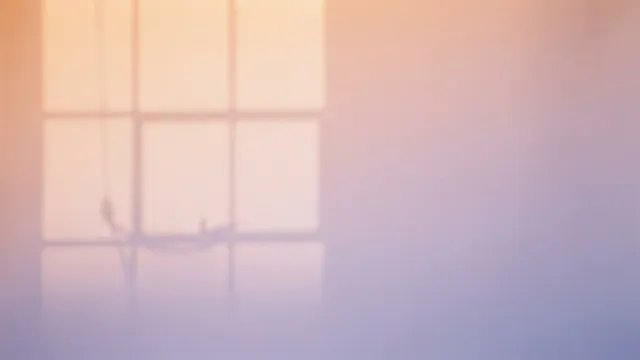
Real results from AIPhoto-Generator, with a placeholder label added by this page; the slide frame is a mockup; images made at 3:2 are cropped to 16:9 here. The main image's prompt: “Soft gradient of warm peach to lavender light on a seamless paper backdrop with the faint shadow of a window frame, minimal abstract background, photograph”
Shapes
Which shape to pick for slides
Match the shape to your deck before you generate.
16:9
Widescreen slides
The default for new PowerPoint decks and the Widescreen (16:9) option in Google Slides. Canva lists 16:9 at 1920 × 1080; ours has about half those pixels, so soft backgrounds work better than crisp detail.
Output: 1376 × 768 px · source: Microsoft Support: change the size of your slides
Try it at 16:93:2
4:3 decks
There's no 4:3 option. 3:2 is the closest: crop the middle 1131 × 848 px for a 4:3 shape, or let the app trim about 11% from the sides.
Output: 1264 × 848 px
Try it at 3:2
Prompt ideas
Background prompts by deck type
Each prompt keeps detail soft or to one side, so titles stay readable. None of them includes people, logos or words.
Pitch deck
A deep navy gradient with soft light from the upper right, subtle grain, the left third dark and empty, minimal, no objects, no text
- Style
- No style
- Ratio
- 16:9
Dark and quiet: white titles stand out on the left.
Business report
A very subtle pale grey paper texture filling the frame, soft even light, mostly empty, no objects, no text
- Style
- No style
- Ratio
- 16:9
Almost blank, so charts and tables stay readable.
School project
A flat illustration of a tidy classroom desk with books, a globe and pencils along the bottom edge, a pale yellow wall above, bright cheerful colors, no text or letters
- Style
- Illustration
- Ratio
- 16:9
The plain wall above the desk takes the title.
Science talk
A macro photo of green leaf veins in soft focus, backlit, gentle bokeh, calm and fresh, no text
- Style
- Photorealistic
- Ratio
- 16:9
Soft focus hides the enlargement on a big screen.
History lesson
Old parchment paper texture with soft stains and worn edges, warm light, an empty center, no writing, no letters
- Style
- No style
- Ratio
- 16:9
An old-paper look without fake handwriting.
Wedding or anniversary slideshow
Soft-focus white and blush roses at the edges of the frame, creamy bokeh, a pale empty center, gentle warm light, no text
- Style
- Photorealistic
- Ratio
- 16:9
Flowers frame the edges; names and dates go in the middle.
Tech or AI talk
An abstract glowing network of thin light lines and dots on a deep blue background, concentrated on the right, the left half dark and calm, no text
- Style
- Illustration
- Ratio
- 16:9
A tech mood without fake screens or interfaces.
Closing or thank-you slide
A warm sunset gradient of peach, coral and lavender with a soft glow in the center, smooth and empty, no objects, no text
- Style
- No style
- Ratio
- 16:9
Type “Thank you” or your contact details on top.
More ideas
More presentation background ideas
Textures, dimmed scenes and seasonal looks. Each one opens in the generator.
Calm textures
Linen
Natural off-white linen fabric filling the frame, soft even light, gentle texture, no objects, no text
Concrete
A smooth light grey concrete wall texture, soft raking light from the left, minimal, no objects, no text
Watercolor wash
A soft watercolor wash of pale blue and lavender on white paper, gentle blooms at the edges, an empty center, no text
Dimmed scenes
Ocean at dusk
A calm ocean at dusk, low horizon, soft blue and pink sky filling the upper two-thirds, low contrast, no boats, no people, no text
City lights
Out-of-focus city lights at night, soft blue and amber bokeh, dark and calm, no recognizable buildings, no text
Misty forest
A misty pine forest at dawn, soft and dim, low contrast, pale fog across the middle, no people, no text
Seasonal
Holiday lights
Blurred warm golden fairy-light bokeh on a dark green background, the center dark and calm, nothing in focus, no text
Spring blossoms
Pale pink cherry blossoms in soft focus along the top edge, a bright pale sky below, airy and calm, no text
Autumn leaves
Soft-focus orange and gold autumn leaves along the bottom edge, warm hazy light, a calm empty upper half, no text
Events and gatherings
Light through clouds
Soft rays of light breaking through clouds at sunrise, a calm pastel sky, the lower half quiet and empty, no text
Graduation
A soft navy background with a scattering of gold confetti at the edges, gentle glow, a calm empty center, no text
Team celebration
Pastel balloons in soft focus at the edges of the frame, a light warm background, a calm empty center, no text
Real people, characters and brand logos can't be generated: see the Acceptable Use Policy. Put your own logo on the slide master instead.
Matching sets
Title, divider and content slides from one shared phrase
Write one phrase for the whole deck (palette, light and texture), keep the same style, and change only how busy each slide is. Each image is generated separately, so results vary: make a few and keep the ones that match.
Calm navy deck
- Style
- No style
- Ratio
- 16:9
Shared phrase in every slide: “deep navy and teal palette, soft light from the upper right, subtle grain, no text”
- Open slide 1 in the generator
1Title slide: a bold glowing teal curve sweeping across the right half, the left half dark and empty, deep navy and teal palette, soft light from the upper right, subtle grain, no text
- Open slide 2 in the generator
2Section divider: a thin teal light curve along the bottom edge, the rest dark and empty, deep navy and teal palette, soft light from the upper right, subtle grain, no text
- Open slide 3 in the generator
3Content slide: an almost flat dark navy background with a faint glow in one corner, mostly empty, deep navy and teal palette, soft light from the upper right, subtle grain, no text
Warm paper deck
- Style
- No style
- Ratio
- 16:9
Shared phrase in every slide: “warm cream paper texture, soft daylight, muted terracotta accents, no text”
- Open slide 1 in the generator
1Title slide: a large soft terracotta watercolor shape on the right, empty paper on the left, warm cream paper texture, soft daylight, muted terracotta accents, no text
- Open slide 2 in the generator
2Section divider: a narrow terracotta watercolor band along the left edge, warm cream paper texture, soft daylight, muted terracotta accents, no text
- Open slide 3 in the generator
3Content slide: plain paper texture with a tiny terracotta mark in the bottom right corner, mostly empty, warm cream paper texture, soft daylight, muted terracotta accents, no text
Examples
Real results that work behind slides
Real images from AIPhoto-Generator, each with the exact prompt that made it. None was made for a deck, but each has the calm areas a slide needs.
A soft gradient with a faint window shadow: room for a title almost anywhere.
Prompt: Soft gradient of warm peach to lavender light on a seamless paper backdrop with the faint shadow of a window frame, minimal abstract background, photograph
Real result · No style · made at 16:9 · about this image: Peach and lavender backdrop
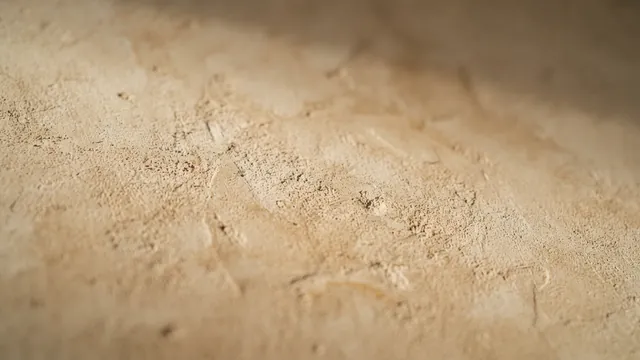
A warm plaster texture for a calm, nearly blank content slide.
Prompt: Close-up of a warm beige lime plaster wall with soft raking light revealing subtle texture, abstract background photograph
Real result · No style · made at 16:9 · about this image: Plaster wall texture
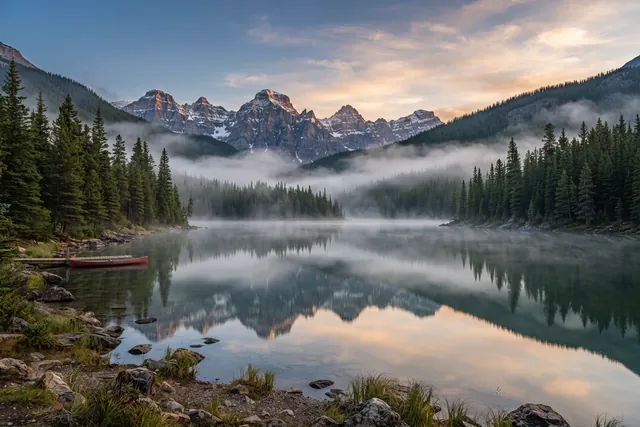
A calm scene at 3:2, the closest shape for 4:3 decks. Dim it for text.
Prompt: Still alpine lake at dawn, mist drifting over the water, pine-covered mountains mirrored on the surface
Real result · Photorealistic · made at 3:2 · about this image: Alpine lake at dawn
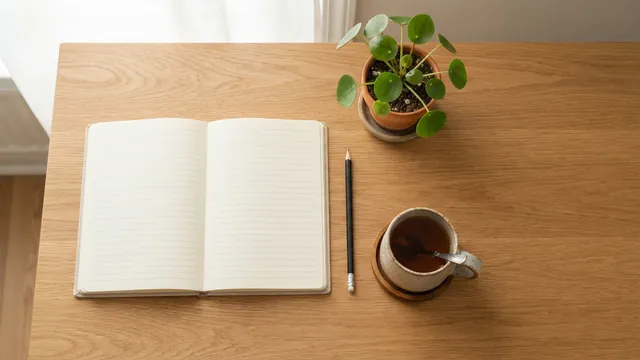
A top-down desk with space on the right, for a planning or teaching deck.
Prompt: Top-down view of a tidy oak desk with a blank open notebook, a pencil, a cup of tea and a small potted plant, soft daylight, empty space on the right side
Real result · Photorealistic · made at 16:9 · about this image: Desk flat lay header
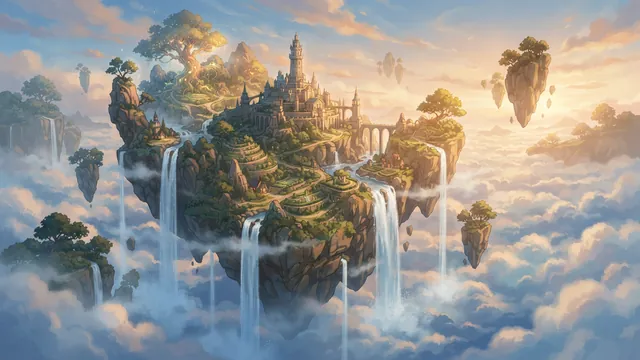
Illustration style for a story-driven or kids' presentation.
Prompt: Concept art of a floating island with waterfalls spilling into a sea of clouds, soft afternoon light
Real result · Illustration · made at 16:9 · about this image: Floating island concept
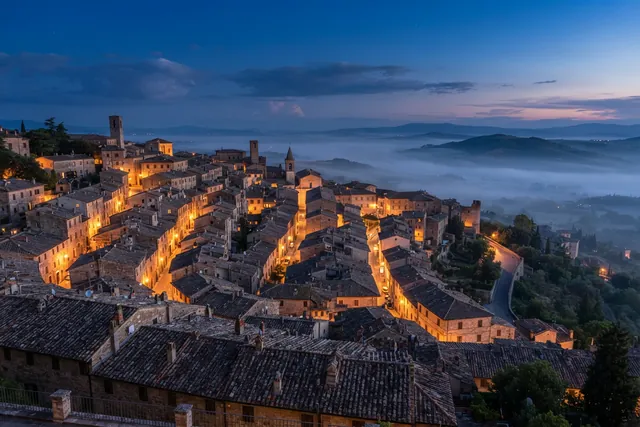
A dusk scene for a travel or culture talk; add a dark overlay for text.
Prompt: Terracotta rooftops of an old hillside town at blue hour, warm lights in a few windows, soft mist in the valley beyond
Real result · Photorealistic · made at 3:2 · about this image: Hillside rooftops at blue hour
Readability
Keep text readable on a background image
- Ask for an empty area in the prompt: “the left third dark and empty” or “mostly empty”.
- Ask for soft, blurred or low-contrast detail rather than a crisp, busy scene.
- Dim it in your app: PowerPoint's Transparency slider and Keynote's Advanced Image Fill tint both soften the image.
- In Google Slides or Canva, place a semi-transparent shape between the image and your text.
- Don't put text over the main subject of the picture.
- Check it on the real screen: projectors can wash out color and contrast.
Sources: Microsoft Support: change the background of slides · Keynote User Guide: change a slide background
Set it
How to set an image as the slide background
Checked on 11 October 2026 against each app's help pages.
| App | Steps | Notes |
|---|---|---|
| PowerPoint | Design → Format Background → Picture or texture fill → Insert, then choose the image. Apply to All uses it on every slide. | Drag Transparency to lighten it. New decks are 16:9 (13.333 × 7.5 in) by default. |
| Google Slides | Slide → Change background → Choose (next to Image), then Done for one slide or Add to theme for the whole deck. | GIF, JPG or PNG under 50 MB. Widescreen 16:9 is in File → Page setup. |
| Keynote (Mac) | Format → Background (Standard) → Image Fill, or Advanced Image Fill to add a tint → Replace → Choose File, then Scale to Fill. | Set the slide size in the Document sidebar (Slide Size pop-up menu). |
| Canva | Canva's own help pages show how to set an image as a slide background. | Canva lists 16:9 presentations at 1920 × 1080 px. |
Sources: Microsoft Support: change the background of slides · Microsoft Support: change the size of your slides · Google Slides Help: change the theme, background or layout · Google Slides Help: change the size of your slides · Keynote User Guide: change a slide background · Keynote User Guide: change the slide size · Canva: presentation sizes
Image size
Is 1376 × 768 big enough for slides?
For most decks, yes, if the background is soft. 1376 × 768 px has about half the pixels of 1920 × 1080, so on a 1080p screen or projector it's enlarged about 1.4×. That barely shows on gradients, textures and blurred or dimmed scenes, but fine photo detail can look soft.
The image is also about 0.8% wider than exact 16:9, so filling the slide trims a sliver nobody will notice. For a 4:3 deck, generate at 3:2 and crop the middle 1131 × 848 px, or switch the deck to 16:9.
How it works
How to make a slide background
Your first 3 images are free, and you don't need an account for them.
- 01
Describe the background
Say where the empty space goes and keep the detail soft.
- 02
Generate at 16:9
Or 3:2 for a 4:3 deck. Make a few and keep the calmest.
- 03
Set it in your slide app
Add it as the background, dim it if needed, and type your titles on top.
Tips
Tips for slide backgrounds
One phrase for the whole deck
Repeat the same palette, light and texture words in every prompt, so the slides match.
Bold for titles, calm for content
A busier image can work on the title slide; content slides need an almost empty background.
Dark or light, not in between
Mid-tone backgrounds make both black and white text hard to read.
Use the slide master
Set the background and your logo once on the master or theme, so every slide matches.
Check it in the room
Projectors and big screens change contrast. Look at a test slide where you'll present.
Good to know
What it doesn't do
Slides and templates
It makes images only: no slides, themes, PowerPoint or Google Slides files.
Text, charts and logos
Add these in your slide app.
4:3
There's no 4:3 option; use 3:2 and crop.
Resolution
About 1 megapixel, below 1920 × 1080, with no upscaling.
Video
Still images only: no animated or video backgrounds.
FAQ
Questions about the AI presentation background generator
More answers on the main FAQ and the pricing page.
What size should a presentation background be?
16:9 for most decks: PowerPoint's default (13.333 × 7.5 in) and Google Slides' Widescreen (16:9). Canva lists 16:9 presentations at 1920 × 1080 px. AIPhoto-Generator makes 16:9 backgrounds at 1376 × 768 px.
Will it look blurry on a projector or big screen?
Fine detail can look a little soft: on a 1080p screen the image is enlarged about 1.4×. Gradients, textures and blurred or dimmed scenes hide this well, so they make the safest slide backgrounds.
How do I set an image as the background in PowerPoint?
Design → Format Background → Picture or texture fill → Insert, choose the image, then drag Transparency to lighten it if you need to. Click Apply to All to use it on every slide.
How do I add a background image in Google Slides?
Slide → Change background, choose an image (GIF, JPG or PNG under 50 MB), then Done for one slide or Add to theme for the whole deck.
And in Keynote?
Select the slide, click Format, then Standard in the Background controls. Choose Image Fill, or Advanced Image Fill to add a tint, click Replace and choose the file, then use Scale to Fill.
Can it put my title or text on the background?
No. Lettering inside AI images is unreliable. Ask for empty space in the prompt and type titles in your slide app, where you can still edit them.
How do I keep text readable on a photo background?
Ask for an empty, soft area, then dim the image in your app: the Transparency slider in PowerPoint, a tint in Keynote, or a semi-transparent shape over it in Google Slides or Canva.
Can I make a matching set for a whole deck?
Yes: reuse one shared phrase and the same style in every prompt, as in the matching sets above. Each image is generated separately, so make a few and keep the ones that match.
Does it work for 4:3 slides?
There's no 4:3 option. Generate at 3:2 and crop the middle 1131 × 848 px, or switch the deck to 16:9.
Can it make a whole presentation or a PowerPoint template?
No. It makes background images only, with no slides, layouts, or PowerPoint or Google Slides export.
Can I add my logo or brand colors?
Describe your colors in words (“deep navy and teal”), though exact color matches aren't guaranteed. Logos can't be generated; add yours on the slide master in your app.
Is the presentation background generator free?
It's free to try: your first 3 images are free, with no account, and they don't reset. At busy times, free capacity for the whole site can run out. After that, generating uses paid images from an image pack or the Pro plan. Paid plans allow up to 4 images per prompt, and each image uses one paid image. See pricing.
More ways to use the generator
- AI virtual background generator16:9 backgrounds for Zoom, Teams and Google Meet, with a calm middle behind you.
- Blog featured image generator16:9 featured images that also work as link previews and in Google Discover.
- AI carousel post makerMatching images for every slide of a carousel, from prompts that share the same look.
- AI YouTube thumbnail generator16:9 thumbnail and 9:16 Shorts backgrounds with empty space for your title.
Guides for this
- AI photo styles comparedThe exact words each of the six styles adds to your prompt, with a real example of each.
- AI photo promptsEvery prompt shown next to the real image it produced, with its style and aspect ratio.
- AI image aspect ratiosHow to choose the right shape for an AI image, with the output size of each of the six ratios.
Start creating
Your next image is one sentence away.
Describe it, generate it, download it. Your first 3 images are free, no account needed.